19
CONTROLS AND INSTRUMENTS
EN
EN
EN
EN
EN
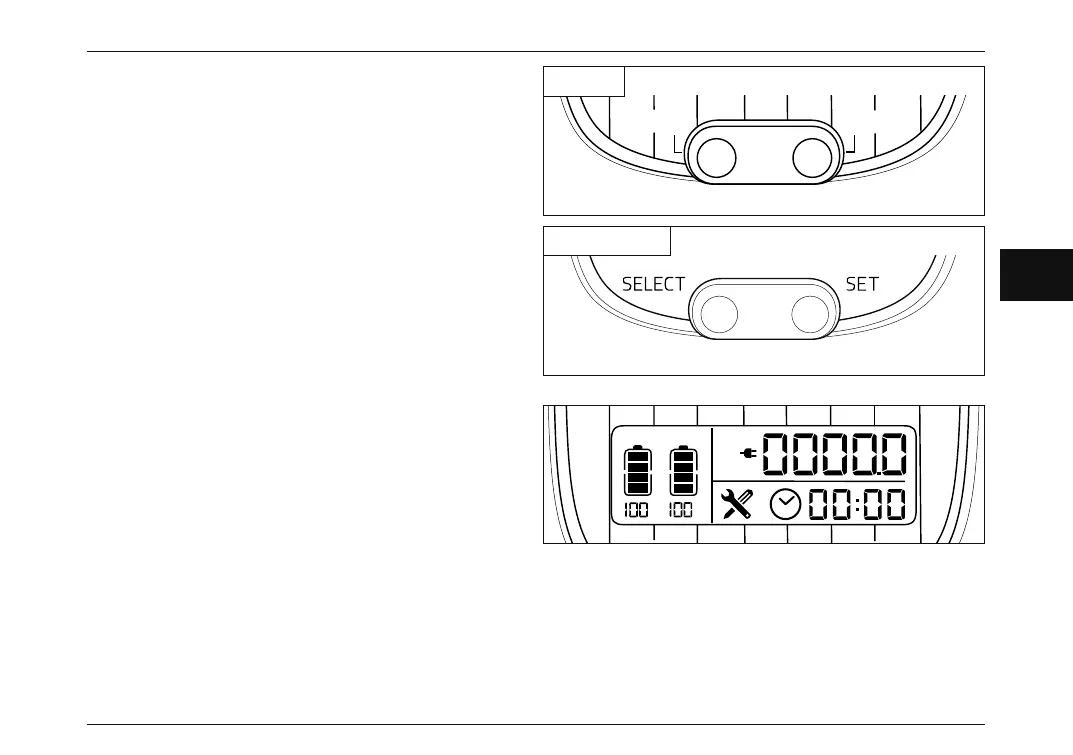
DIGITAL DISPLAY (NGS1)
On the digital display it is possible to have all the
information regarding vehicle status, namely:
• battery presence on A and B compartments,
• battery charge,
• total mileage,
• partial mileage,
• mileage to go with remaining battery charge,
• time,
• alarms and their error codes.
MENU SETTING BUTTONS
The SELECT and SET buttons must be used for:
• select the parameter to display,
• reset displayed value (km/trip),
• set and confirm new values (hour).
SELECT
SET
%%
Km/trip
AB
PWR ECO
Km/
NGS2 - NGS3
NGS1
NGS_Rev00_EN.indb 19NGS_Rev00_EN.indb 19 05/06/2020 11:28:0405/06/2020 11:28:04



 To Next Page