28
USE
DISPLAY FUNCTIONS SELECTION
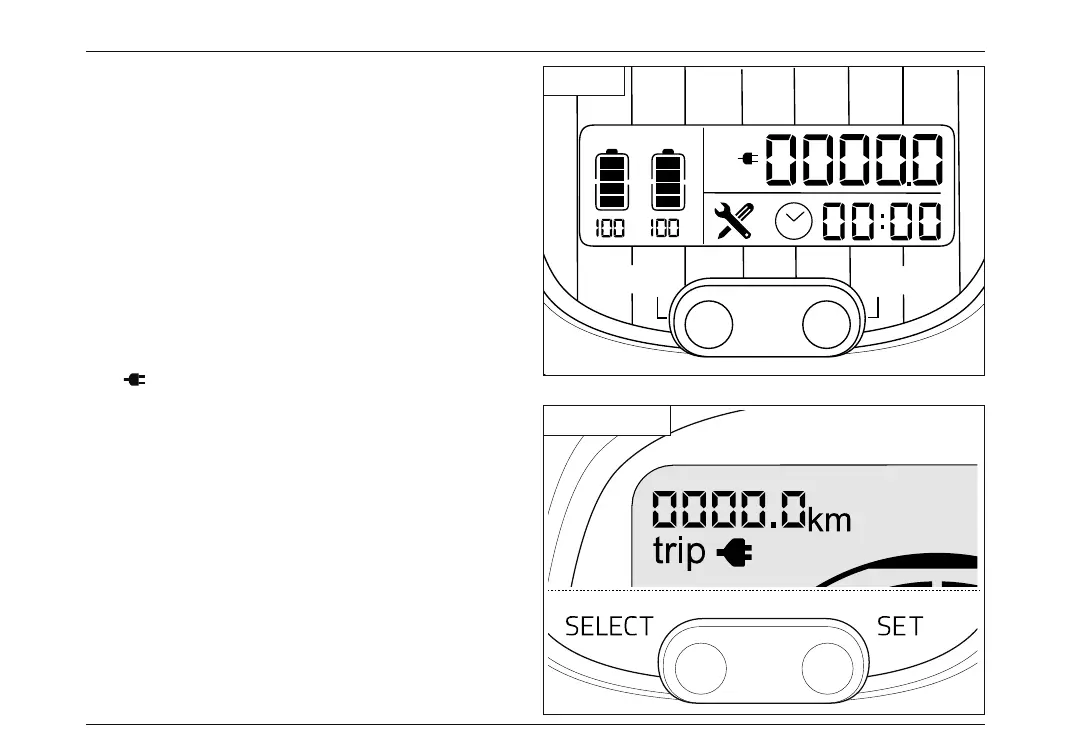
Odometer data display mode
Upon power up, all display lights will remain lit for a
few seconds.
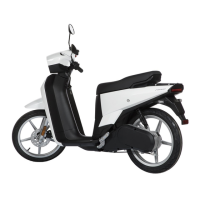
Press SELECT to change the parameter shown on
the display:
Km Total mileage.
This parameter cannot be modified.
Km/trip Partial mileage.
Keep SET pressed to zero during parameter
display.
Km/ Mileage to go with remaining battery
charge. The value varies depending on the
conditions of use, remaining battery charge,
driving mode set and power regeneration
mode selected.
PWR ECO
%%
Km/trip
AB
Km/
SELECT
SET
NGS1
NGS2 - NGS3
NGS_Rev00_EN.indb 28NGS_Rev00_EN.indb 28 05/06/2020 11:28:2105/06/2020 11:28:21



 To Next Page