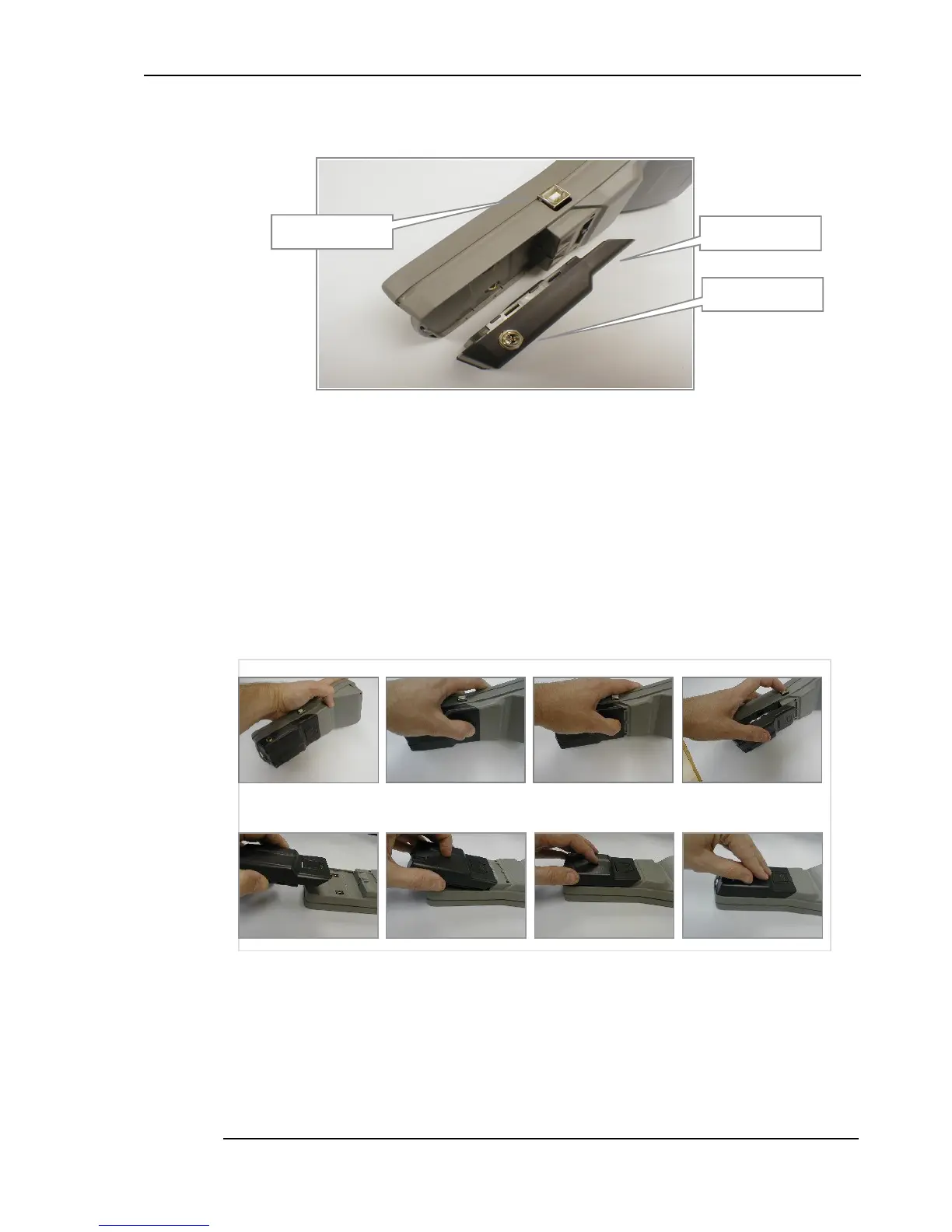
3.5 Battery Pack
Figure 3.5 - Base of the F100 showing the battery back removed
The instrum ent operates from battery power (or from a powered USB cable when connected to a PC).
The battery pack is replaceable.
3.5.1 Removing and replacing the battery pack
To remove the battery pack, press the latching tab and slide the battery pack back. See figure 3.6 for
details.
Figure 3.6 – Removing and replacing the battery pack
To replace the battery pack, place the pack in position before sliding home. See figure 3.6 for details.
Do check that the battery pack is securely in position before using the instrument.
3.5.2 Battery charger
USB communications
connector
Battery pack,
removed from the


 To Next Page