Operating the F100
Page 4-1 F100-14-001.2
ASL 2005
4. Operating the F100
4.1 Instrument operating modes
The instrument has two operating modes -
• Measurement Mode that displays the measurem ent readings and status information
• Menu Mode that lets you select and alter the instrument operation and its settings
4.1.1 Measurement Mode
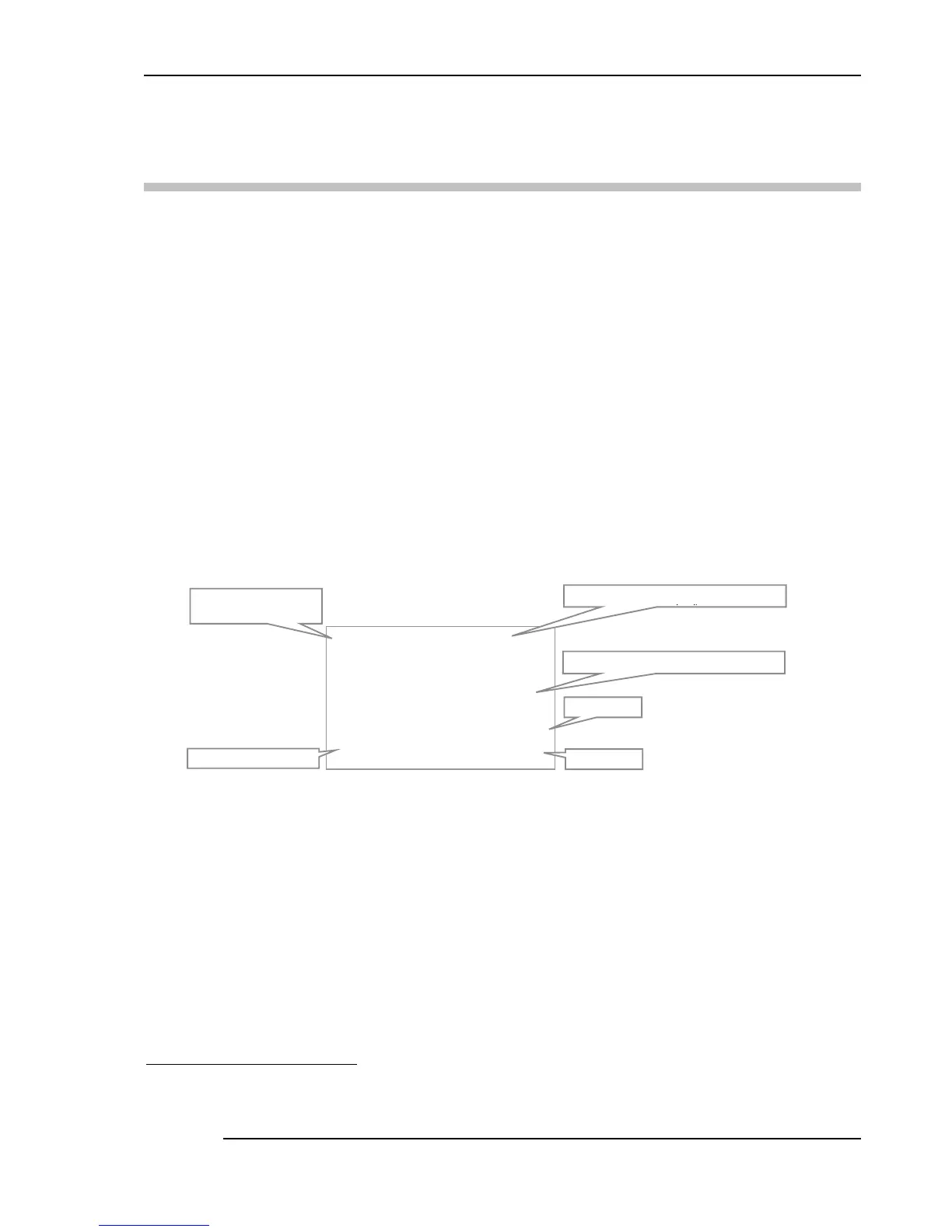
In Measurement Mode, the LCD displays the curr ent reading (temperature or resistance), the unit
symbol, the channel and type of sensor selected (and conversion method); the time of day is also
shown
5
. This is the normal operating display f or the F100. The display will look similar to the one
shown below –
This display always reflect the operation of the instrument, showing the current reading(s) and
settings.
Readings are updated at the normal conversion rate of one every two seconds.
5
The time text will be replaced by ‘Logging’ or ‘Remote’ when these modes are selected
&K $
&K $&K $
&K $
V )
V ) V )
V )
35 7
35 735 7
35 7
R&
R&R&
R&
,76
,76,76
,76
Current reading with units displayed
Time of day
Reading units
Channel (ChA) using a
4 wire sensor (PRT4)
Probe conversion
Smart probe serial number (if one


 To Next Page