SECTION 8 SERVICING THE BIS VISTA MONITORING SYSTEM
8-6
8.7 Replacing the Monitor Interface Cable
Caution:
All repairs to the BIS VISTA Monitoring System should be made only
by a qualified Biomedical Engineering Technician or other authorized
personnel.
Use only the parts and tools specified. Use of any others may damage
the instrument.
8.7.1 Parts and Tools Required
Parts Required: Tools Required:
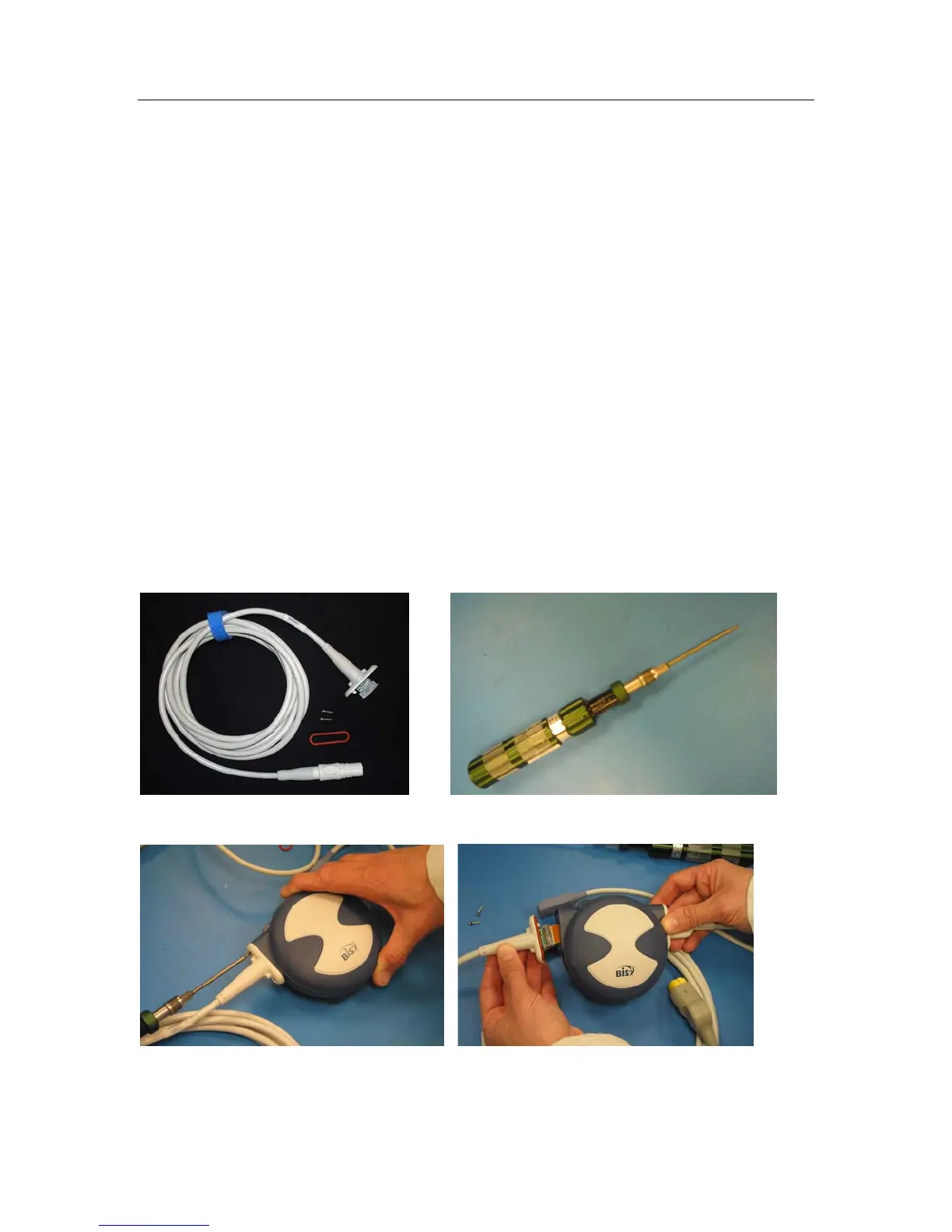
BIS VISTA Host Cable Replacement Kit;
P/N 186-0201-AMS includes:
Torque screwdriver with Torx bit size T-7.
BISx Monitor Interface Cable P/N
175-0061-GA
Gasket, P/N 150-0187
Torx head screws, P/N 606-0008
8.7.2 Procedure:
1. Disconnect BISx from the monitor.
2. Remove screws from the bulkhead of the old Monitor Interface Cable.


 To Next Page