13
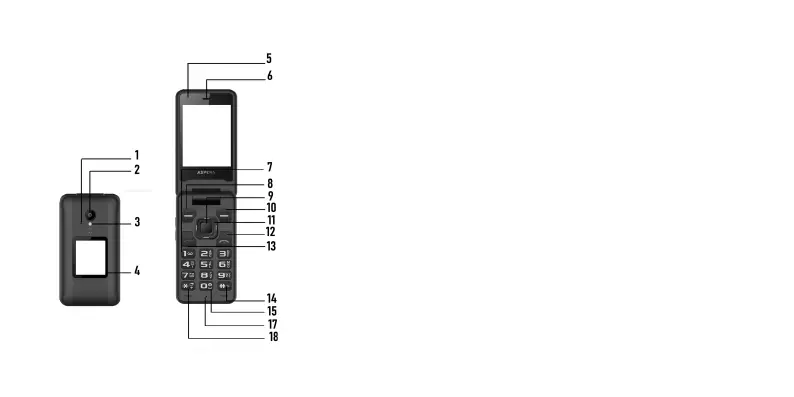
4. Getting to know your Aspera F42
1. External microphone
2. Camera
3. Flashlight/torch
4. External display
5. Internal camera
6. Speaker
7. Start of numerical/typing
keypad
8. Top Left-hand “context”
key/button
9. Central “Select” key/button
10. Top right-hand “context”
key/button
11. Directional arrow keys/
buttons (around Select key)
12. Red “Hang up” key/Power
on-off button
13. Green “Dial/Answer” key/
button
14. Hash key/ “Vibrate mode”
activation key/button
15. Camera shortcut
16. Internal microphone
17. Asterisk/Star key/button



 To Next Page