15
5. Getting Started
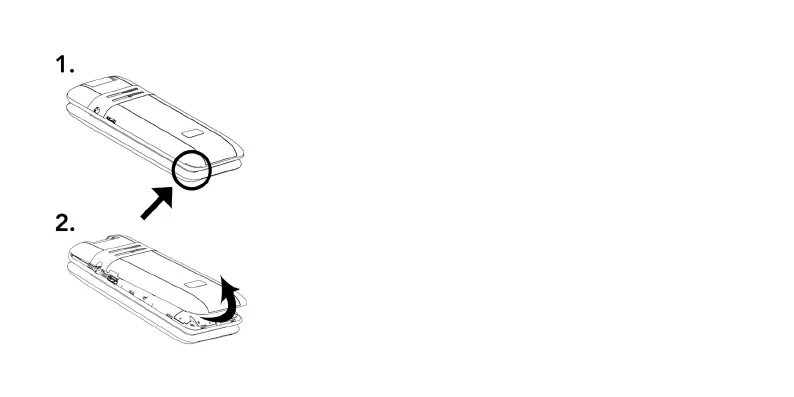
Removing back of the phone
The indent to remove the back cover
can be found in the bottom left-hand
corner of the back cover, as indicated in
the diagram to the left.
1. Apply rm but gentle pressure to the
corner and begin to lift from the indent.
2. Gently lift other corners and continue
around the edges until the entire panel
is removed.



 To Next Page