16
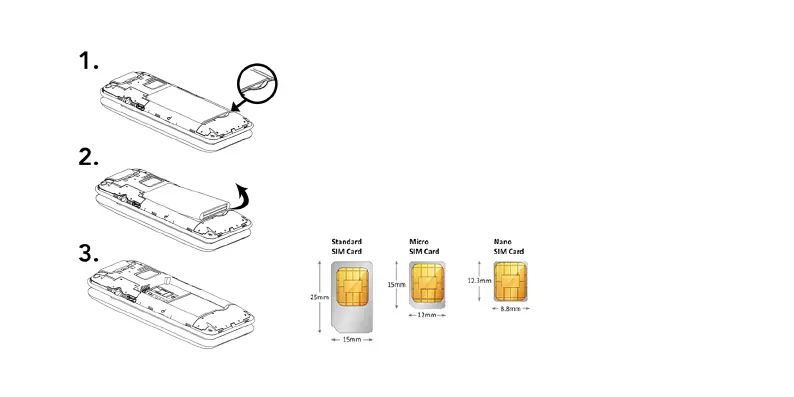
Removing the battery
1. Using the indent on the bottom right-hand side of the battery,
apply pressure and slowly begin to lift
2. As the battery releases, continue to lift until it is completely
detached from the phone as seen in (3).
Inserting SIM card
The Aspera F42 takes a nano-SIM, please see the diagram
below for sizing information. This is the smallest sim card.



 To Next Page