17
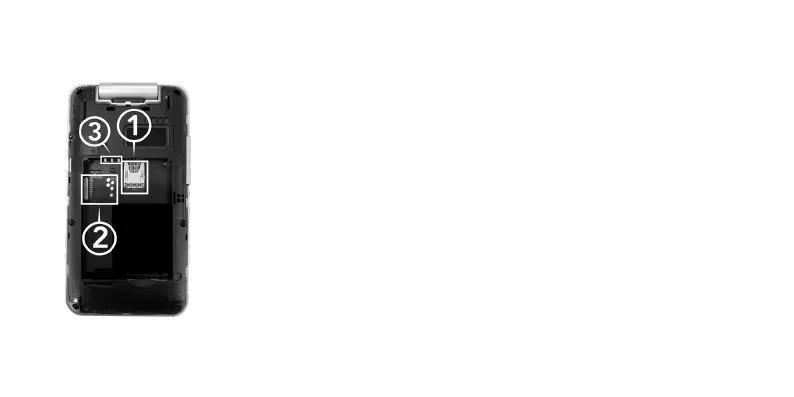
Place the nano-SIM into the slot (1), matching the angled corner in the top
right-hand corner. The SIM should slide into the tray, underneath the metal
plate and into its correct position.
Note: You should only need gentle pressure to lock the SIM in position. If it
feels difcult to lock into position, please remove from the tray, ensure the SIM
card is sitting correctly and begin the process again.
Inserting SD card
Angle the micro-SD card and insert into slot (2), please ensure the card is
positioned correctly.
The Aspera F42 can take a micro-SD card up to 64GB.
Inserting Battery
Match the pins at the top of the phone (3) with the metal contact points on the
battery. Slide the battery in from the top of the phone, then replace the cover.



 To Next Page