ASR Audiosystems Friedrich Schaefer, D-35727 Herborn, Germany
High End Integrated Amplifier ASR Emitter Page 11
Connecting the ASR Battery Power Supply to an ASR Emitter Exclusive is quite simple,
please pay attention to the following order:
a) turn off the ASR Emitter Exclusive (left control knob to „0“-position) and
disconnect the powercords from the AC outlet, disconnect the powercord(s) from
the AC input of the power supply/supplies
b) carefully connect the heavy silver cable (with grey plug featuring 20 contacts)
hanging out of the backpanel of the ASR Emitter Exclusive´s main unit to the socket
on the backpanel of the ASR Battery Power Supply.
d) connect the powercords to the AC input of the power supply/supplies and to the AC
input of the ASR Battery Power Supply.
d) connect the powercords to the AC outlet
If you want to disconnect the external ASR Battery Power Supply please pay attention to
the following order
c) turn off the ASR Emitter Exclusive (left control knob to „0“-position)
d) disconnect all the powercords from the AC outlet, disconnect the powercord(s)
from the AC input of the power supply/supplies and the ASR Battery Power Supply.
c) wait until the LEDs inside the ASR Battery Power Supply are not shining anymore
d) disconnect the heavy silver cable from the ASR Battery Power Supply
If the connection between the ASR Emitter Exclusive´s main unit and the ASR Battery
Power Supply has been disconnected before the LEDs have not shone anymore, please
wait at least two hours before you connect the power supply/supplies again. This will avoid
damage on your audio system.
3.0 Operating the ASR Emitter
3.1 General operation of the ASR Emitter
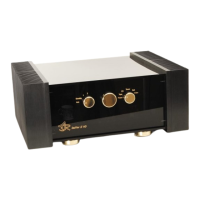
All functions of the ASR Emitter can be controlled by the three golden or chromium knobs
on the frontpanel of the main unit. The operation via remote control is even more
convenient. The status of the ASR Emitter is shown in the display on the frontpanel. If
there are any malfunctions inside the ASR Emitter, a red LED will indicate this
immediately. How to react in case of malfunctions is referred to in chapter no. 4.0 and 5.2.
The external power supply/supplies of the ASR Emitter can be operated in an energy
saving mode: all the internal voltages of the ASR Emitter are cut in half in this mode. After
setting the left knob on the frontpanel from „Standby“- to „1“-position, every ASR Emitter is
operating in the energy saving mode for one minute.
After connecting the ASR Emitter (see chapter 2.0), please set the left knob to the
„Standby“-position. Now you can either set the left knob to the „1“ (On)-postion or use the
remote control to turn the unit on



 To Next Page