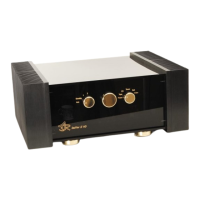
ASR Audiosystems Friedrich Schaefer, D-35727 Herborn, Germany
High End Integrated Amplifier ASR Emitter Page 14
-/-- and AV selects the adjust mode for balance, energy saving mode,
display brightness etc. and input level.
press the black button as long until the mode you want to
adjust is displayed; adjustments can be made with the
„Volume +“ and „Volume -“-buttons
light-yellow button pressing this button illuminates the remote control
On request, the ASR Emitter can be delivered with a (smaller) remote control which only
contains the followoing functions: power on/off, volume up/down, input selcetion, tape
monitor/adjust mode-button.
3.4 Adjustments of the ASR Emitter
The ASR Emitter offers a lot of possibilities to adjust the unit. Most of these adjustments
have to be set just once. Put the left knob on the ASR Emitter to the „Standby“-position.
The adjustment menu can be easily accessed by pressing either the „Menu“- or the „-/--“-
button on the remote control. Alternative you can access the menu by pressing the „Tape
Monitor“-button on the frontplate of the ASR Emitter (if supplied).
Please press the button on the remote control (or the „Tape Monitor“-button on the
frontplate) until the parameter, that you want to adjust, appears flashing in the display. To
adjust the parameter, please press either the „Volume +/--button on the remote control or
move the middle knob on the ASR Emitter to the right (+) or left (-). To save your individual
adjustments please put the left knob of the ASR Emitter to the „Off“-postion and keep the
unit off for at least ten seconds. All adjustments are stored now.
Adjusting the channel balance
Please press the button on the remote control (or the „Tape Monitor“-button on the
frontplate) once – the orange LED „Balance“ is flashing. Now either use the „<<“- (=
increases left channel volume) and „>>“-button (= increases right channel volume) on the
remote control or the middle knob of the ASR Emitter to adjust the channel balance. If you
use the „<<“-buttons, the left channel will be louder and have a orange „Balance“-LED
illuminated and vice versa for the right channel. If both channels play at the same level,
each channel has an orange „Balance“-LED illuminated.
Adjusting the energy saving mode
You can easily adjust the volume level, where the ASR Emitter switches from energy
saving mode to normal operating mode in a wide range from 01 to 51 (= display). If you set
the display to „01“ the energy saving mode in enabled. The factory setting is „35“.
Please press the button on the remote control (or the „Tape Monitor“-button on the
frontplate) twice – the green LED „Energie“ is flashing. Now either use the „<<“- (= ASR
Emitter switches into normal operating mode at lower level) and „>>“-button (= ASR
Emitter switches into normal operating mode at higher level) on the remote control or the
middle knob of the ASR Emitter to adjust the energy saving mode.



 To Next Page