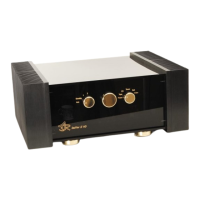
ASR Audiosystems Friedrich Schaefer, D-35727 Herborn, Germany
High End Integrated Amplifier ASR Emitter Page 15
Adjusting the display mode and brightness
The display of the ASR Emitter can be adjusted in brightness, parts of the display can be
illuminated all the time or not and so on. The actual setting will be displayed numerical.
Factory setting is „07“: maximum brightness and the display is switched off 10 seconds
after the last tunr of the knobs or receiving a signal from the remote control.
Please press the button on the remote control (or the „Tape Monitor“-button on the
frontplate) three times – the two orange display numers are flashing. Now either use the
„<<“- and „>>“-button on the remote control or the middle knob of the ASR Emitter to
adjust the display mode (see chart below).
left orange display number
(= mode)
Adjustments
0 display switches totally off after ten seconds
1 the LEDs above the left and right knob on the
frontplate of the ASR Emitter are illuminated
constantly
2 the two numbers of the display are illuminated
constantly
3 aquivalent to mode 1 and 2 together
4 mode LEDs (i. e. Balance etc.) are illuminated
constantly
5 aquivalent to mode 1 and 4 together
6 aquivalent to mode 2 and 4 together
7 the whole display is illuminated constantly
right orange number
(= brightness)
Adjustments
0 to 7 0 (= off) to 7 (= max. brightness), altering the volume
will illuminate just the orange numbers
8 to F 8 (= off) bis F = (= max. brightness) altering the
volume will illuminate the whole display
Adjusting the input level
To avoid difference in volume when switching from one input to another, the input level of
each high level input can be adjusted. The input with the lowest level (like a phono
preamplifier or an analog tuner) should be left unaltered and work as a reference to adjust
the input level for the other high level inputs of the ASR Emitter.
Please choose the input that you want to adjust – either via remote control or with the right
knob. Please press the button on the remote control (or the „Tape Monitor“-button on the
frontplate) four times – the orange „Pegelaus“-LED is flashing. Now either use the „Volume
+“- (increases input level) or „Volume -“-button (decreases input level) on the remote
control or the middle knob of the ASR Emitter to adjust the input level for the chosen input.
For all other inputs do equal.



 To Next Page