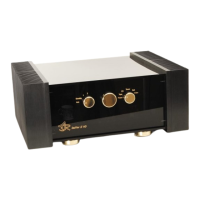
ASR Audiosystems Friedrich Schaefer, D-35727 Herborn, Germany
High End Integrated Amplifier ASR Emitter Page 17
5.0 Maintenance of the ASR Emitter
5.1 Cleaning of the ASR Emitter
The standard cleaning set includes everything you need to take care of the finish of the
ASR Emitter: antistatic plastic cleaner and a special cloth. Please do not use any other
cloths than the supplied one to clean the acrylic glass of the ASR Emitter.
The use of the plastic cleaner is quite simple: spray some of the liquid on the acrylic glass
and spread it with the cloth. Clean the acrylic glass, wipe off the liquid and polish it with the
cloth. The knob on the frontplate is sealed and may not be cleaned with anything else than
a soft cloth with no liquids or chemicals on it.
Tip: if your are not using your equipment for a certain time cover it with a soft, fluff-free
cloth – you avoid most of the soiling on your equipment.
Removal of scratches
Most of all scratches can easily be removed by using acrylic poishing paste. Please use as
specificated by manufacturer. After the use of acrylic polishing paste you should use the
plastic cleaner. The ASR warranty does not cover any damage caused by using any other
cleaner than the supplied one.
5.2 Trouble-shooting
Malfunction during operation
The ASR Emitter is equipped with a digital controller to control all functions of the amplifier.
If any malfunction occurs, please follow these steps:
- please put the left knob on the ASR Emitter´s frontplate to the „Off/0“-position and wait
a least 20 seconds
- put the left knob to the „Standby“-postion
- now you can switch the ASR Emitter on by either putting the left knob to the „1“-postion
or by pressing the „On/Off“-button on the remote control
5.2.1 No LED lits when the unit is turned on
!! First of all switch off the ASR Emitter !!
a) In postion „Off“ (left knob): is a red LED shining in the external power
supply/supplies?
No go on with b)
Yes Please contact your authorized ASR Audiosystems dealer
b) Is/Are the heavy silver connection cable(s) from the main unit properly connected to
the external power supply/supplies?
No please connect the silver cable(s) properly
Yes go on with c)
c) Is/Are the powercord(s) properly connected to the external power supply and/or the
AC outlet?
No please connect the powercord(s) properly



 To Next Page