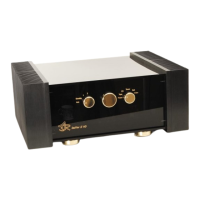
ASR Audiosystems Friedrich Schaefer, D-35727 Herborn, Germany
High End Integrated Amplifier ASR Emitter Page 18
Yes go on with d)
d) Detach the powercord(s) from the AC outlet. Check the fuse at the power input on
the external power supply/supplies – is it/are they OK?
No please replace fuse(s) (110V version = 10 amps, slow, 120V version = 2
amps, slow)
Yes please contact your authorized ASR Audiosystems dealer!
5.3.2 External battery power supply: no LED lits when the unit is
switched on (only for the ASR Emitter Exclusive versions
with optional external battery power supply)
!! First of all switch off the ASR Emitter !!
a) Is the heavy silver connection cable from the main unit properly connected to the
external battery power supply?
No please connect the silver cable properly
Yes go on with b)
b) Is the powercord properly connected to the external power supply and/or the AC
outlet?
No please connect the powercord properly
Yes go on with c)
c) In position „Off“: are three yellow LEDs shining in the external battery power
supply?
No Charge the batteries in the external battery supply. Are the LEDs still not
shining?
Yes please contact your authorized ASR Audiosystems dealer!
Yes the batteries are charged, go on with d)
d) Check the fuse at the power input on the external battery power supply – is it OK?
No please replace fuse (2 amps, slow)
Yes please contact your authorized ASR Audiosystems dealer!
5.3.3 The ASR Emitter is not reacting on signals from the remote
control
a) Is the left knob on the frontplate of the ASR Emitter in the „1“- or „2“-postion?
No please put the knob to the „1“-position.
Yes go on with b)
b) Is the Philips remote control set to the „Audio 2“ –position (below the red „On/Off-
button)?
No please choose the „Audio 2“-position
Yes go on with c)
c) Is the LED below the „Audio 2“-postion flashing green when pushing a button on
the remote control?
No, the LED is flashing red or not at all please insert fully charged new
batteries!
Yes please contact your authorized ASR Audiosystems dealer!



 To Next Page