ASR Audiosystems Friedrich Schaefer, D-35727 Herborn, Germany
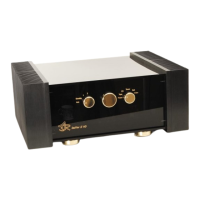
High End Integrated Amplifier ASR Emitter Page 5
The ASR Battery Power Supply should not be disconnected from the AC outlet for more
than 10 days. Like any other high-end amplifier, the ASR Emitter sounds best about one
hour after you put the left control knob to the „1“ (ON) position.
Tip: about 30 minutes before you want to listen to music, turn the ASR Emitter on. Just
turn the ASR Emitter off, if you are not listening to music for more than two hours.
2.1 Standard connections
As a standard version the ASR Emitters are equipped with high-level inputs with RCA
sockets (one of the inputs is a direct input), one (two) RCA tape outputs and one pair of
speaker outputs as direct outputs.
2.1.1 Connecting high-level source components to the ASR Emitter
High-level source components are all audio components except turntables.
Every ASR Emitter is equipped with the following (identical) RCA inputs: „Ph“ = phono (if
your ASR Emitter is equipped with the ASR plug-in phonoboard, this is NOT a high-level
input anymore!), „Ta“ = tape, „CD“ = CD player, „Tu“ = Tuner, „DT“ = digital tape, „Vi“ =
vcr. The additional RCA sockets (on the backpanel, outer left/right side) are tape outputs –
the ASR Emitter I is equipped with one, the ASR Emitter II with two tape out RCA sockets.
These outputs are named „Out“.
Connect each of your source components to one input. Attention: connect the right outputs
of your source components to the right inputs of the ASR Emitter (same for the left
channel) and make sure, the RCA connectors fit tight.
2.1.2 Connecting a high-level source component to the
direct input of the ASR Emitter
The RCA input sockets of the direct input are directly connected to the relais volume
control via silverwire, the grounding is separately routed. The direct input was especially
developed for audio systems with just one source component (for example a CD player).
The signal of the direct input passes two relais less than the signals of the other inputs.
The RCA sockets of the direct input are located between the „Out“- and the „Vi“ RCA
sockets on the backpanel of the ASR Emitter. Connections to the direct input should be
made like described in 2.1.1.
The direct input can not be switched via the input selector (right control knopb on
frontpanel of the ASR Emitter). If you have connected a source component to the direct
input and switch the input selector to another input, where a source component is
connected and playing, you will hear the signals of both inputs.
Tip: if you are using the direct input, put the input selector to a position, where no other
source compnoent is connected. If your ASR Emitter is equipped with a balanced input, do
not put the input selector to „CD“ while having a source component connected to the direct
input. If you want to listen to another source component than the one, that is connected to
the direct input, please turn the direct connected unit off or disconnect ist powercord from
the AC outlet.



 To Next Page