English
11
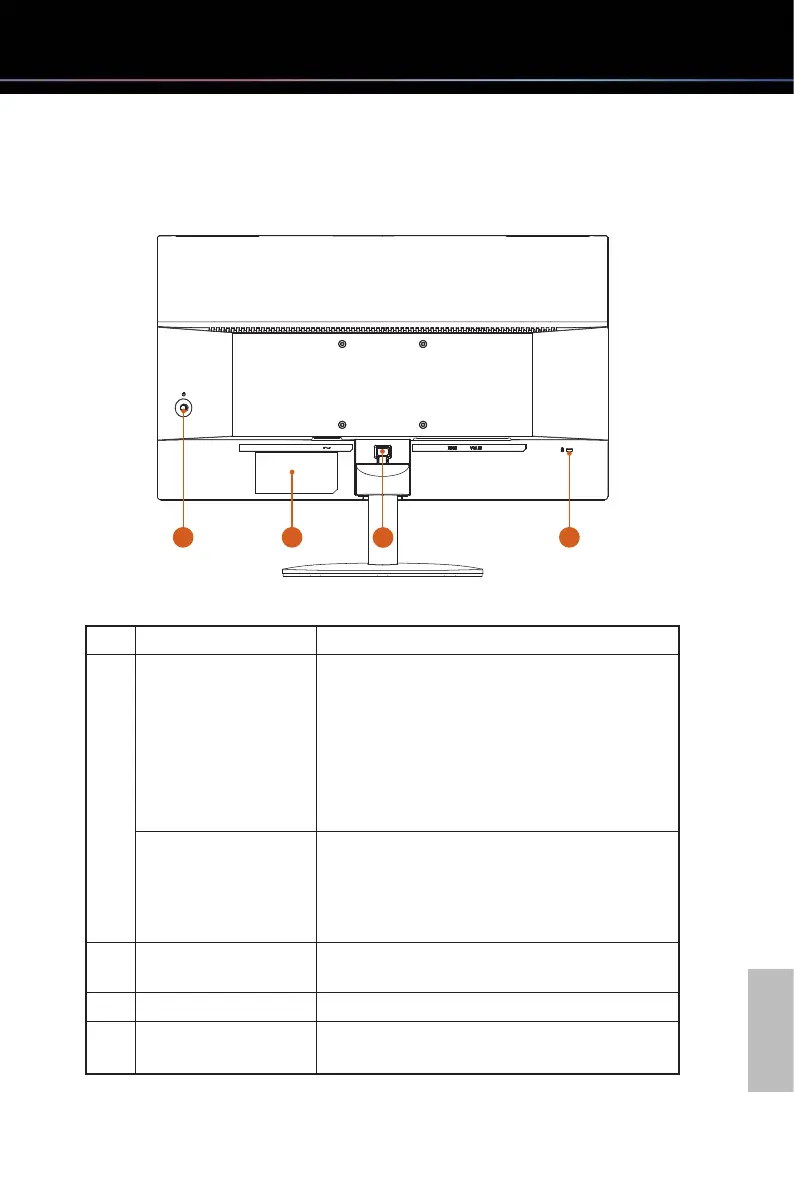
3.2 Back View
4
1 2
3
No. Item Description
1
Power On/Off button
Press to turn the monitor on.
Press and hold for 3 seconds to turn the monitor
off.
The color definition of the power indicator:
•SolidBlue-Poweronmode
•FlashingBlue-Standbymode
•LEDOff-Offmode
Joystick
A multi-directional control that helps navigate
the On-Screen Display (OSD) menu. For more
information, please refer to the section "Operating
the Monitor".
2 Model label
Lists the the model name of the monitor and the
power rating information.
3 Stand release button Releases stand from monitor.
4 Kensington Lock slot
Secures monitor with security lock (security lock
not included).



 To Next Page