English
4
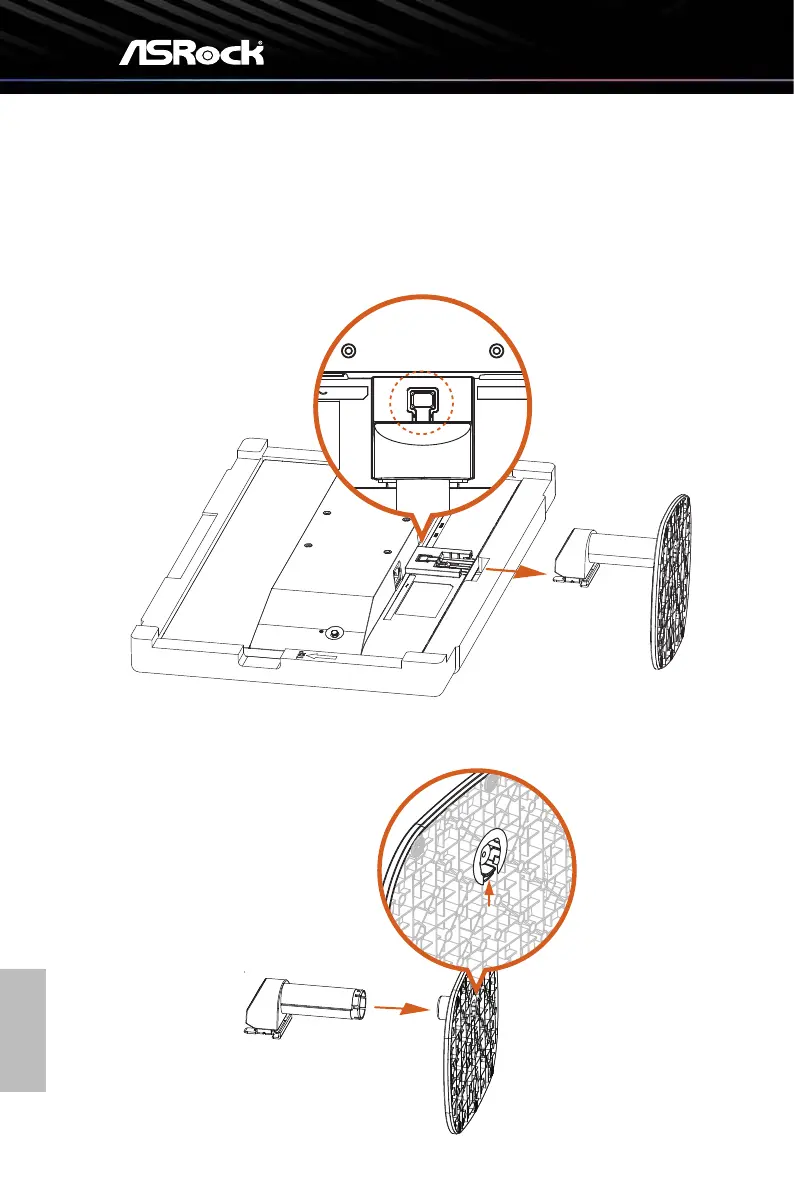
2.2 Detaching the Stand Arm and Base
Before removing the stand, be sure to turn off the monitor and disconnect all cables.
1. Press and hold the stand release button and pull to disengage the tabs on the stand
arm from the monitor. Remove the stand (arm and base).
2. Press and hold the quick release tab at the bottom of the base and remove the stand
base from the stand arm.



 To Next Page