English
22
Chapter 6 OSD Setup
This chapter provides you with essential information on OSD Setup.
All information is subject to change without prior notice.
Important
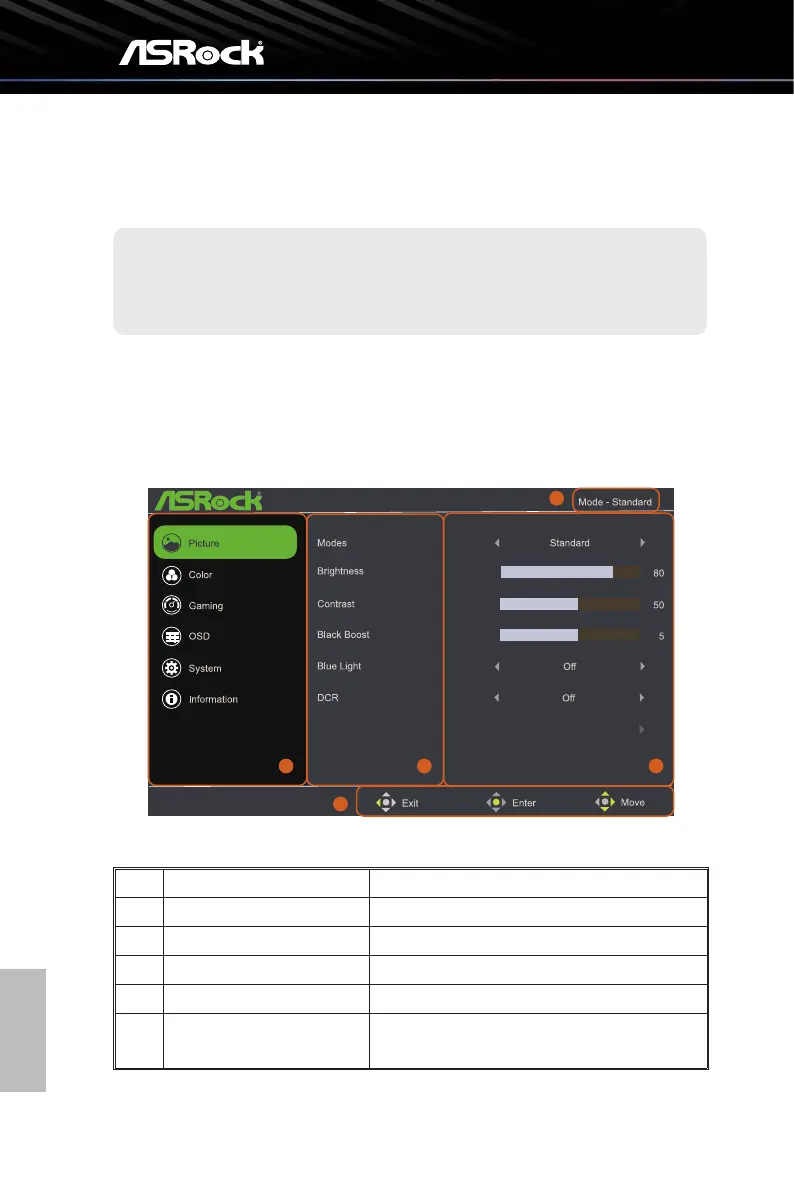
6.1 Accessing the OSD Menu
Aeryoupressthejoysckbuon,theOSDmenuappearsonthelowerrightcornerof
your monitor screen.
Auto Config
2 3 4
1
5
No. Item Description
1 Current Preset Mode Display the current preset mode.
2 Main Menu Item Display the main menu items.
3 Sub Menu Item Display the sub menu items.
4 Sub Menu Display the sub menu.
5 Navigation Keys
Follow the navigation keys displayed to move the
joystick to configure the settings.



 To Next Page