74 75
English
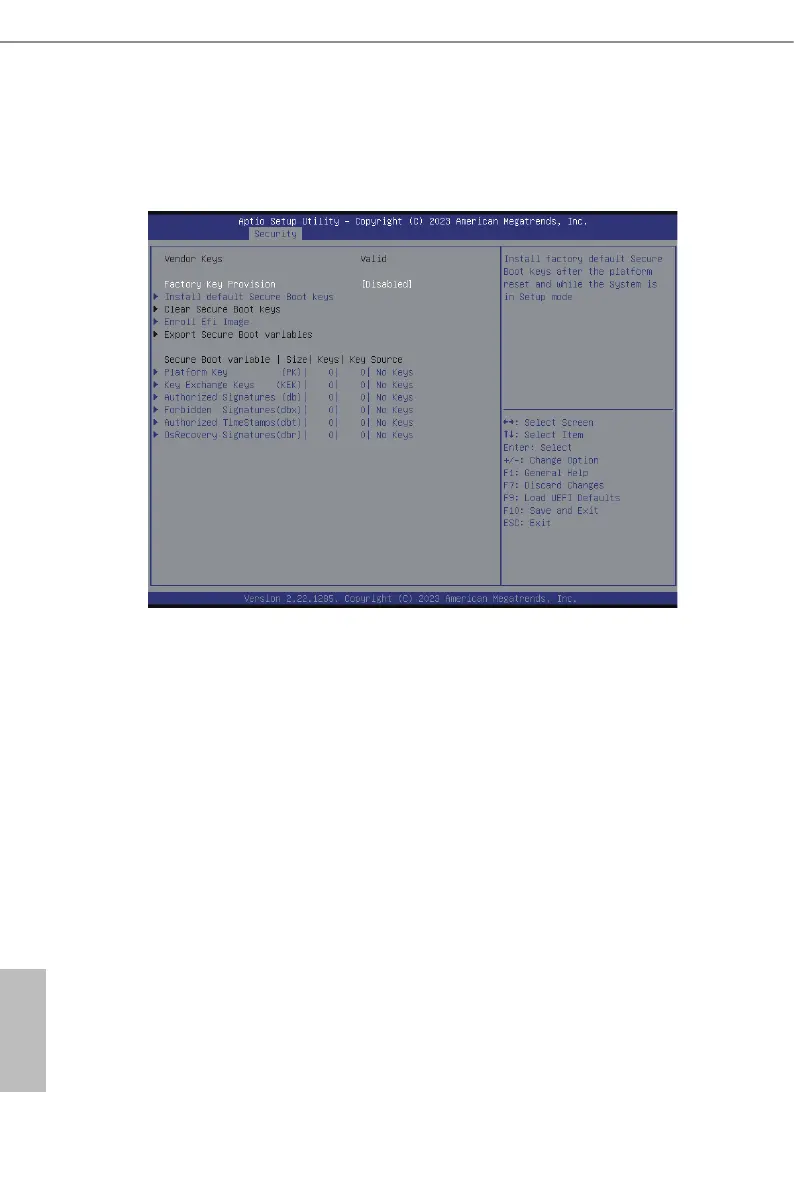
3.4.3 Key Management
In this section, expert users can modify Secure Boot Policy variables without full authenti-
cation.
Factory Key Provision
Install factory default Secure Boot keys aer the platform reset and while the System
is in Setup mode.
Install Default Secure Boot Keys
Please install default secure boot keys if it’s the rst time to use secure boot.
Clear Secure Boot Keys
is force system to setup Mode-Clear all Secure Boot Variables. Change takes eect
aer reboot.
Enroll E Image
Allow the image to run in Secure Boot mode. Enroll SHA256 hash of the binary into
Authorized Signature Database (db).
Export Secure Boot Variables
Copy NVRAM content of Secure Boot variables to les in a root folder on a le system de-
vice.


 To Next Page