To Next Page
J
Jennifer WilsonAug 14, 2025
How to fix 'Low Battery' message on Assa Abloy Door lock?
- PPatrick GriffithAug 15, 2025
If your Assa Abloy door lock displays a 'Low Battery' message, replace all four batteries with new AA Alkaline batteries.

How to fix 'Low Battery' message on Assa Abloy Door lock?
If your Assa Abloy door lock displays a 'Low Battery' message, replace all four batteries with new AA Alkaline batteries.
How to troubleshoot an Assa Abloy Door lock that doesn't respond when the door is open?
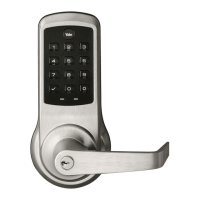
If your Assa Abloy door lock doesn't respond while the door is open and accessible: * Ensure the touchscreen is activated by pressing with your whole hand, covering at least 3 areas. * Verify the touchscreen numbers respond when pressed. * Check that the batteries are correctly installed (polarity) and in good condition; replace if discharged. * Confirm the touchscreen harness is fully connected and not pinched.
What to do if my Assa Abloy Door lock does not respond and the door is locked?
If your Assa Abloy door lock is unresponsive and you're locked out, the batteries may be completely discharged. To regain access, apply a 9V battery to the terminals located below the touchscreen. This will provide backup power.
Why does my Assa Abloy Door lock unit show no reaction and lights dim?
If your Assa Abloy door lock unit shows no reaction and the lights dim, it means the batteries do not have enough power. You should replace the batteries.
What to do if Assa Abloy Door lock says 'Wrong number of digits'?
If your Assa Abloy door lock responds with 'Wrong number of digits' after entering your PIN, it means the digits entered were either incorrect or incomplete. Re-enter the correct code, making sure to follow it with the check key.
Why won't my PIN codes register on Assa Abloy YRM476 Door locks?
If PIN codes won't register on your Assa Abloy door lock, ensure the following: * PIN codes must be 4 to 8 digits long. * The same PIN code cannot be used for multiple users. * Registration/management of PIN codes is controlled by the Master Code, which must be set first. Contact the Master user. * User codes must be entered within 5 seconds while the touchscreen is active. * Check or gear symbols cannot be part of the PIN code.
What to do if Assa Abloy Door lock chimes but doesn't open?
If your Assa Abloy door lock chimes to indicate code acceptance but the door won't open, check the door gaps for any foreign objects between the door and frame. Also, ensure that the wire harness is firmly connected to the PCB.
What does it mean if my Assa Abloy Door lock displays 'invalid code' or times out?
If your Assa Abloy door lock displays an 'invalid code' error or times out after entering a PIN, it could mean that Lockout Mode is enabled. Only the Master user can enable or disable Lockout Mode, so contact the Master user.
What does the red padlock icon on my Assa Abloy Door lock mean?
If a red padlock icon appears with different tones on your Assa Abloy door lock after entering a PIN, it indicates that the lock may be set to Lockout Mode. Setting and managing Lockout Mode is done through the Master Code only, so you should contact the Master user.
Guidance on removing old door hardware before installation.
Instructions for preparing the door for the new Assure Lock.
Steps for physically installing the Yale Assure Lock on the door.
Instructions for programming the Assure Lock's settings and codes.
Step-by-step guide to removing existing door hardware.
Detailed instructions for preparing the door, including drilling.
Instructions for preparing the interior lock component.
Step-by-step guide to creating the master PIN code.
Instructions for creating and managing user access codes.
Steps for deleting single or all user codes.
Solutions for common issues encountered during programming.
Troubleshooting steps for physical installation and hardware problems.
 General
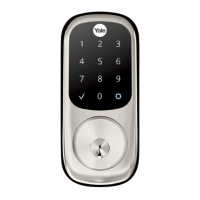
| Product Type | Electronic deadbolt |
|---|---|
| Model | YRM476 |
| Lock Type | Deadbolt |
| Keypad | Yes |
| Finish | Satin Nickel |
| Handing | Reversible |
| Power Source | Battery |
| Type | Electronic |
| Backset | 2-3/8" or 2-3/4" |
| Keying | Key Free |