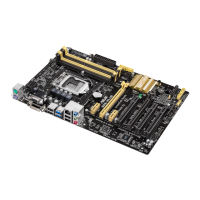
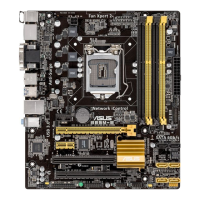
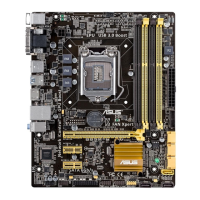
ASUS B85-PLUS
2-15
2.5.7 Memory Frequency [Auto]
Allows you to set the memory operating frequency. The conguration options vary with the
BCLK/PEG Frequency item settings.
Selecting a very high memory frequency may cause the system to become unstable! If this
happens, revert to the default setting.
2.5.8 CPU Graphics Max. Ratio [Auto]
[Auto] The CPU Graphics Max. ratio is set to its optimized setting depending on
the system loading.
[Manaul] Use the <+> or <-> keys to adjust the optimal CPU Graphics Max. ratio.
The value may vary depending on the system loading.
2.5.9 GPU Boost [As is]
GPU Boost accelerates the integrated GPU for extreme graphics performance. Conguration
options: [As Is] [Enabled].
2.5.10 EPU Power Saving Mode [Disabled]
Allows you to enable or disable the EPU power saving function. Conguration options:
[Disabled] [Enabled]
2.5.11 DRAM Timing Control
The subitems in this menu allow you to set the DRAM timing control features. Use the <+>
and <-> keys to adjust the value. To restore the default setting, type [auto] using the keyboard
and press the <Enter> key.
Changing the values in this menu may cause the system to become unstable! If this
happens, revert to the default settings.
Primary Timings
DRAM CAS# Latency [Auto]
Conguration options: [Auto] [1 DRAM Clock] – [31 DRAM Clock]
DRAM RAS# to CAS# Delay [Auto]
Conguration options: [Auto] [1 DRAM Clock] – [31 DRAM Clock]
DRAM RAS# PRE Time [Auto]
Conguration options: [Auto] [1 DRAM Clock] – [31 DRAM Clock]
DRAM RAS# ACT Time [Auto]
Conguration options: [Auto] [1 DRAM Clock] – [63 DRAM Clock]
DRAM COMMAND Rate [Auto]
Conguration options: [Auto] [1 DRAM Clock] [2 DRAM Clock] [3 DRAM Clock]


 To Next Page