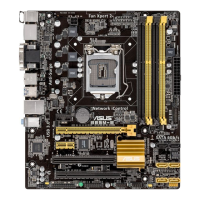
ASUS B85-PLUS
2-33
[Power Key] Sets Power key on the PS/2 keyboard to turn on the system. This feature
requires an ATX power supply that provides at least 1A on the +5VSB lead.
Power On By PS/2 Mouse [Disabled]
[Disabled] Disables the Power On by a PS/2 mouse.
[Enabled] Enables the Power On by a PS/2 mouse. This feature requires an ATX
power supply that provides at least 1A on the +5VSB lead.
Power On By PCIE/PCI [Disabled]
[Disabled] Disables the PCIE/PCI devices to generate a wake-on-LAN feature of the
Intel
®
/Realtek LAN device.
[Enabled] Enables the PCIE/PCI devices to generate a wake-on-LAN feature of the
Intel
®
/Realtek LAN device.
Power On By Ring [Disabled]
[Disabled] Disables Ring to generate a wake event.
[Enabled] Enables Ring to generate a wake event.
Power On By RTC [Disabled]
[Disabled] Disables RTC to generate a wake event.
[Enabled] When set to [Enabled], the items RTC Alarm Date (Days) and Hour/
Minute/Second will become user-congurable with set values.
2.6.10 Network Stack
Network Stack [Disabled]
This item allows user to disable or enable the UEFI network stack. Conguration options:
[Disabled] [Enabled]
The following two items appear only when you set the previous item to [Enabled].
Ipv4 PXE Support [Enabled]
This item allows user to disable or enable the Ipv4 PXE Boot support. Conguration options:
[Disable Link] [Enabled]
Ipv6 PXE Support [Enabled]
This item allows user to disable or enable the Ipv6 PXE Boot support. Conguration options:
[Disable Link] [Enabled]


 To Next Page