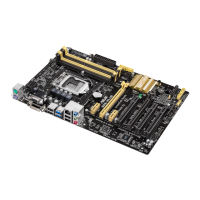
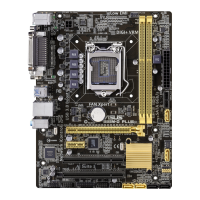
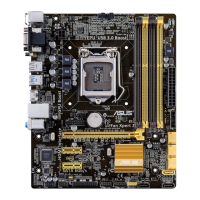
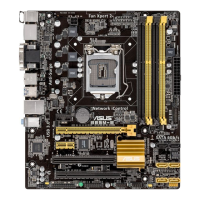
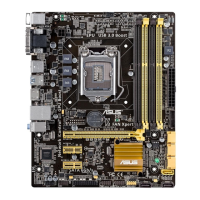
ASUS B85-PLUS
2-29
S.M.A.R.T. Status Check [Enabled]
S.M.A.R.T. (Self-Monitoring, Analysis and Reporting Technology) is a monitor system. When
read/write of your hard disk errors occur, this feature allows the hard disk to report warning
messages during the POST. Conguration options: [Enabled] [Disabled]
Hot Plug [Disabled]
These items appear only when you set the SATA Mode Selection item to [AHCI] and allow
you to enable/disable SATA Hot Plug Support.
Conguration options: [Disabled] [Enabled]
2.6.4 System Agent Conguration
CPU Audio Device [Disabled]
Allows you to enable or disable CPU SA Audio Device. Conguration options: [Enabled]
[Disabled]
DVI Port Audio [Disabled]
This item appears only when you set the previous item to [Enabled] and allows you to enable
or disable the DVI port. Conguration options: [Enabled] [Disabled]
Graphics Conguration
Allows you to select a primary display from iGPU, and PCIe graphical devices.
Primary Display [Auto]
Allows you to select which of the iGPU/PCIE/PCI Graphics device should be the
Primary Display. Conguration options: [Auto] [iGPU] [PCIE] [PCI]
iGPU Memory [Auto]
Allows you to select the amount of system memory allocated to DVMT 5.0 used by the
iGPU. Conguration options: [Auto] [32M] [64M] [96M] [128M] [160M] [192M] [224M]
[256M] [288M][320M] [352M] [384M] [416M] [448M] [480M] [512M] [1024M]
Render Standby [Auto]
Allows you to enable or disable Intel
®
Graphics Render Standby support to reduce
iGPU power use when the system is idle. Conguration options: [Auto] [Disabled]
[Enabled]
iGPU Multi-Monitor [Disabled]
Set this item to [Enabled] to empower both integrated and discrete graphics for
multiple-monitor output. The iGPU shared system memory size will be xed at 64MB.
Conguration options: [Disabled] [Enabled]
DMI Conguration
Allows you to control various DMI functions.
DMI Gen 2 [Auto]
Allows you to enable or disable DMI Gen 2. Conguration options: [Auto] [Enabled]
[Disabled]
NB PCIe Conguration
Allows you to congure the NB PCI Express settings.


 To Next Page