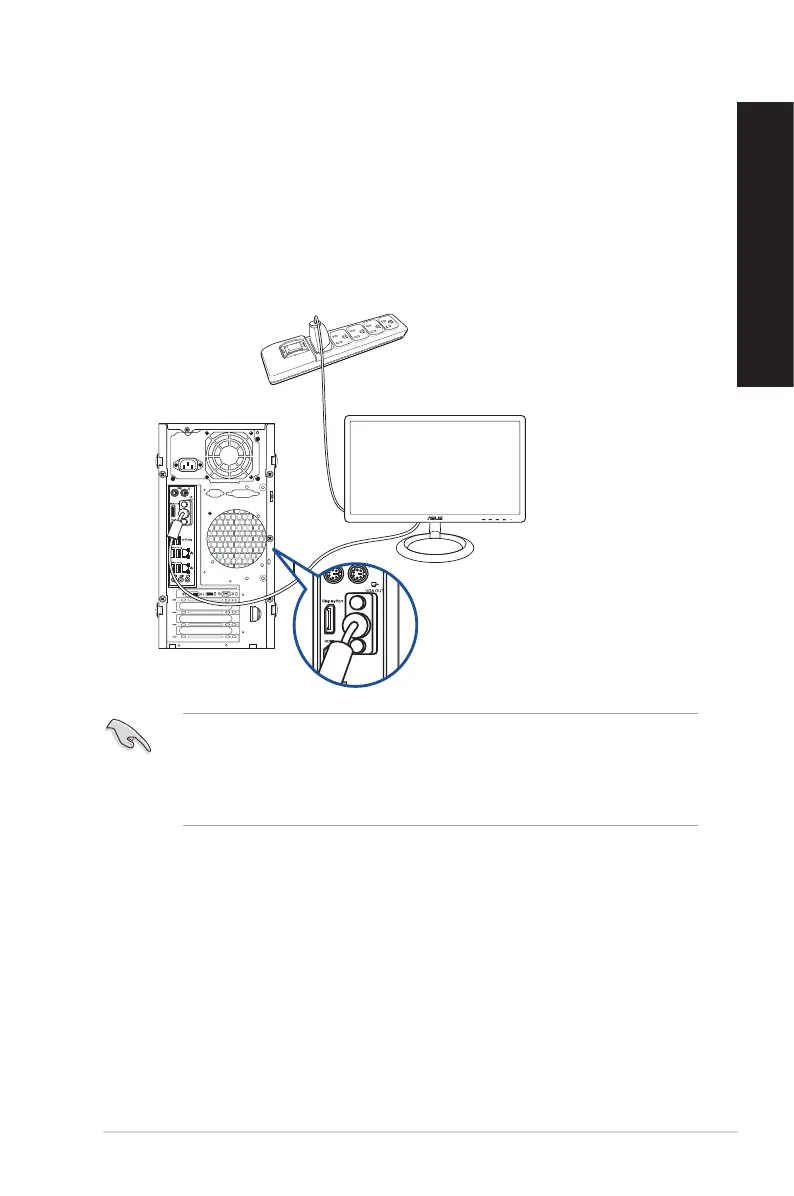
Using the onboard display output ports
Connect your monitor to the onboard display output port.
To connect an external monitor using the onboard display output ports:
1. Connect a VGA monitor to the VGA port or a DVI-D monitor to the DVI-D port on the
rear panel of your computer.
2. Plug the monitor to a power source.
D820MT(BM2CE)
• If your computer comes with an ASUS Graphics Card, the graphics card is set as the
primary display device in the BIOS. Hence, connect your monitor to a display output port
on the graphics card.
• To connect multiple external monitors to your computer, refer to Connecting multiple
external display in Chapter 2 of this guide for details.
ASUS Desktop PC
25
ENGLISH
ENGLISH



 To Next Page