Turning your computer ON/OFF
This section describes how to turn on/off your computer after setting up your computer.
Turning your computer ON
To turn your computer ON:
1. Turn your monitor ON.
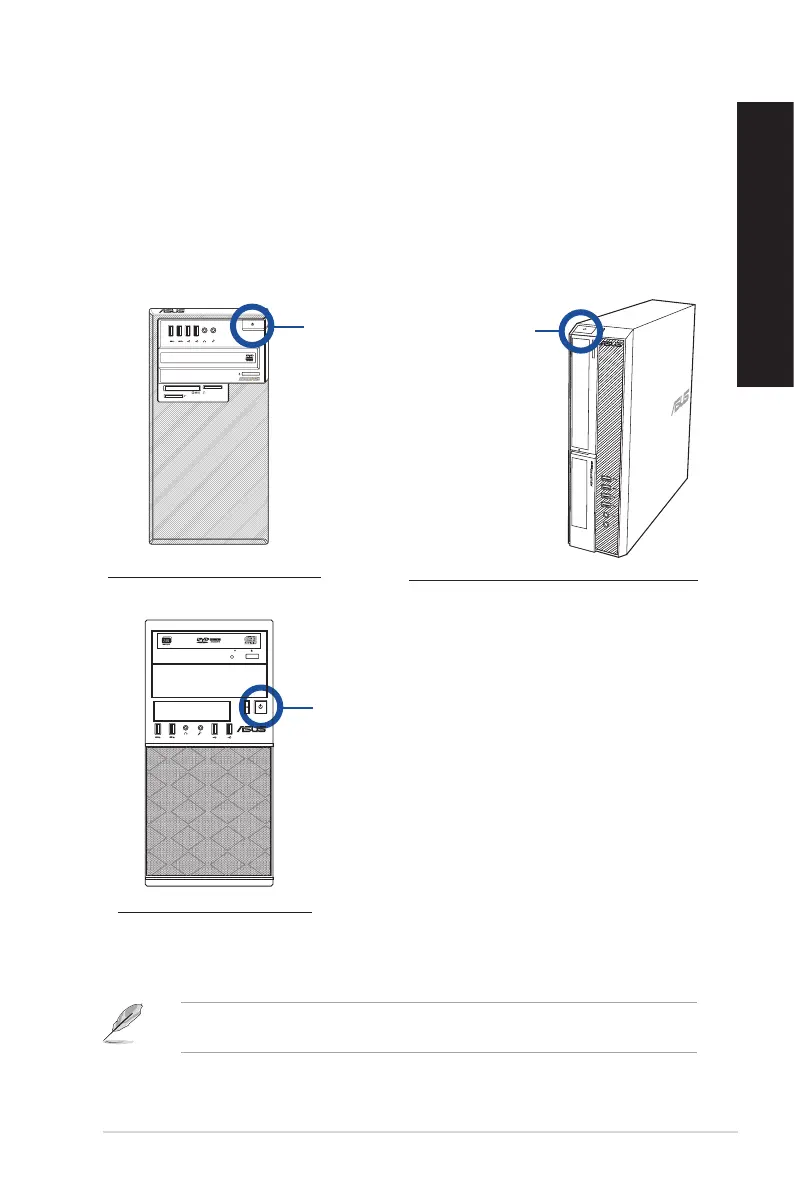
2. Press the power button on your computer.
3. Wait until the operating system loads automatically.
SM.SD.MS-PRO
SM.SD.MS-PRO
Power button
Power button
For details on shutting down your Desktop PC, refer to the Windows
®
7 / Windows
®
10
User Guide, which can be found in this guide.
Power button
D820MT(BM2CE) / D620MT(BM2CF)
D820SF(BP1CE/SD790) / D620SF(BP1CF/SD580)
BM3CE(MD790) / BM3CF(MD580)
ASUS Desktop PC
29
ENGLISH
ENGLISH



 To Next Page