ASUS Desktop PC 97
ENGLISH
ENGLISH
3. Follow the onscreen instructions to complete the reinstallation and reset process.
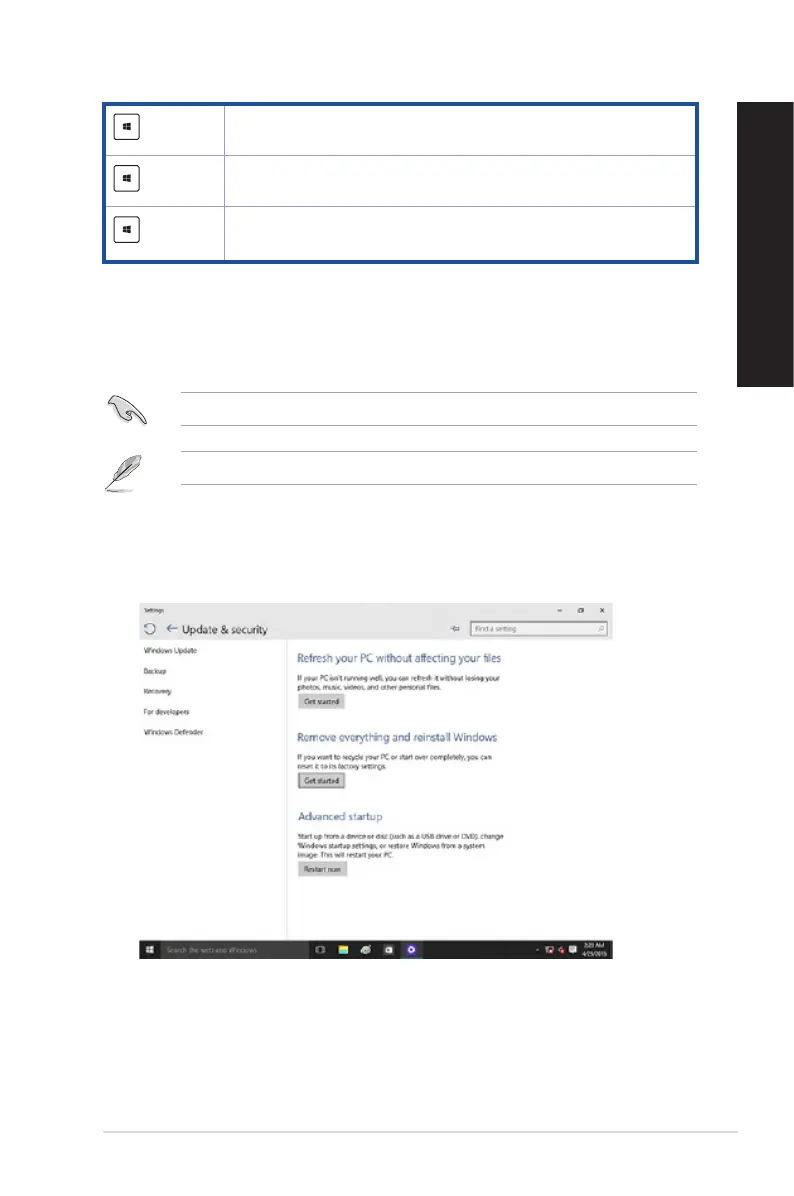
Removing everything and reinstalling Windows® 10
Restoring your PC to its original factory settings can be done using the Remove everything and
reinstall options in PC Settings. Refer to the steps below to use this option.
Back up all your data before using this option.
This process may take a while to complete.
1. From the Start menu, click Settings > Update & security > Recovery.
2. Scroll down to view the Remove everything and reinstall Windows option. Under this
option, click Get started.
+ <+>
Launchesthemagnierandzoomsinyourscreen.
+<->
Zooms out your screen.
+ <Enter>
Opens the Narrator Settings.



 To Next Page