ASUS Eee PC
1-5
Preparing your Eee PC
These are only quick instructions for using your Eee PC. Read the
following chapters for detailed information.
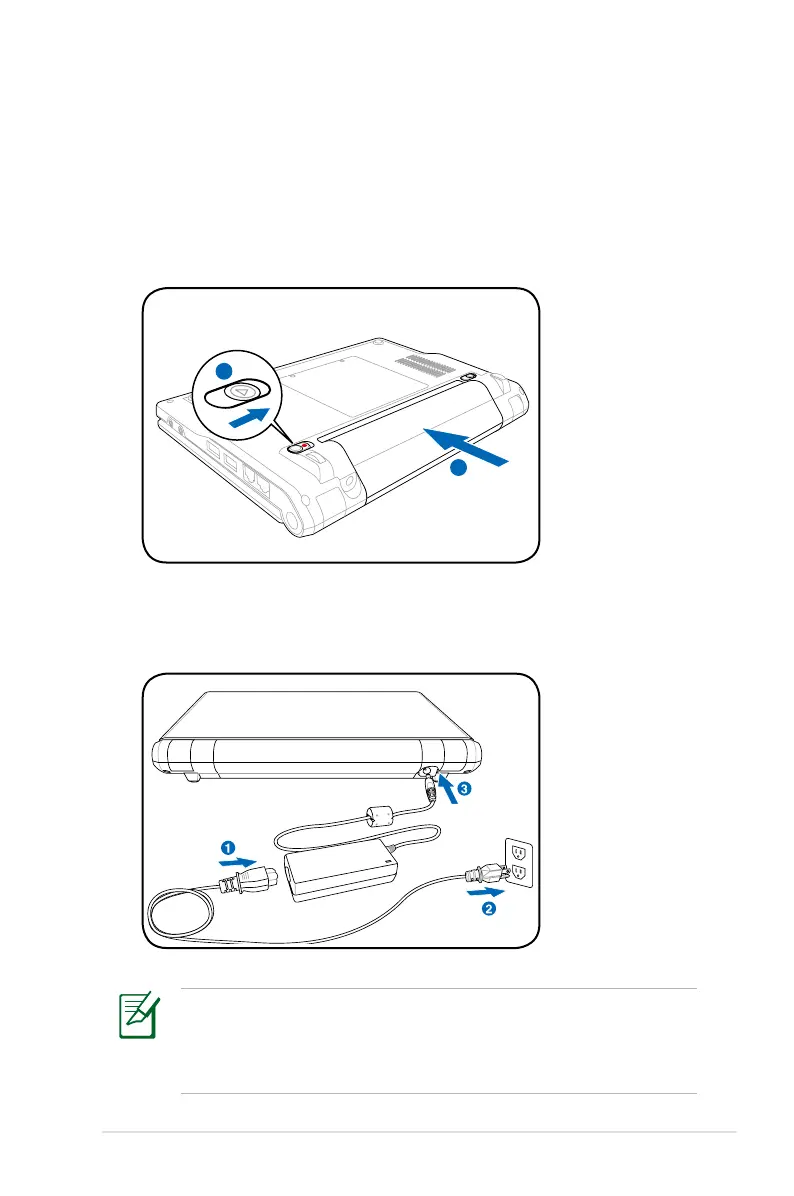
1. Install the battery pack
2. Connect the AC power adapter
Your Eee PC may come with either a two or three-prong plug
depending on territory. If a three-prong plug is provided, you
must use a grounded AC outlet or use a properly grounded
adapter to ensure safe operation of the Eee PC.















 To Next Page