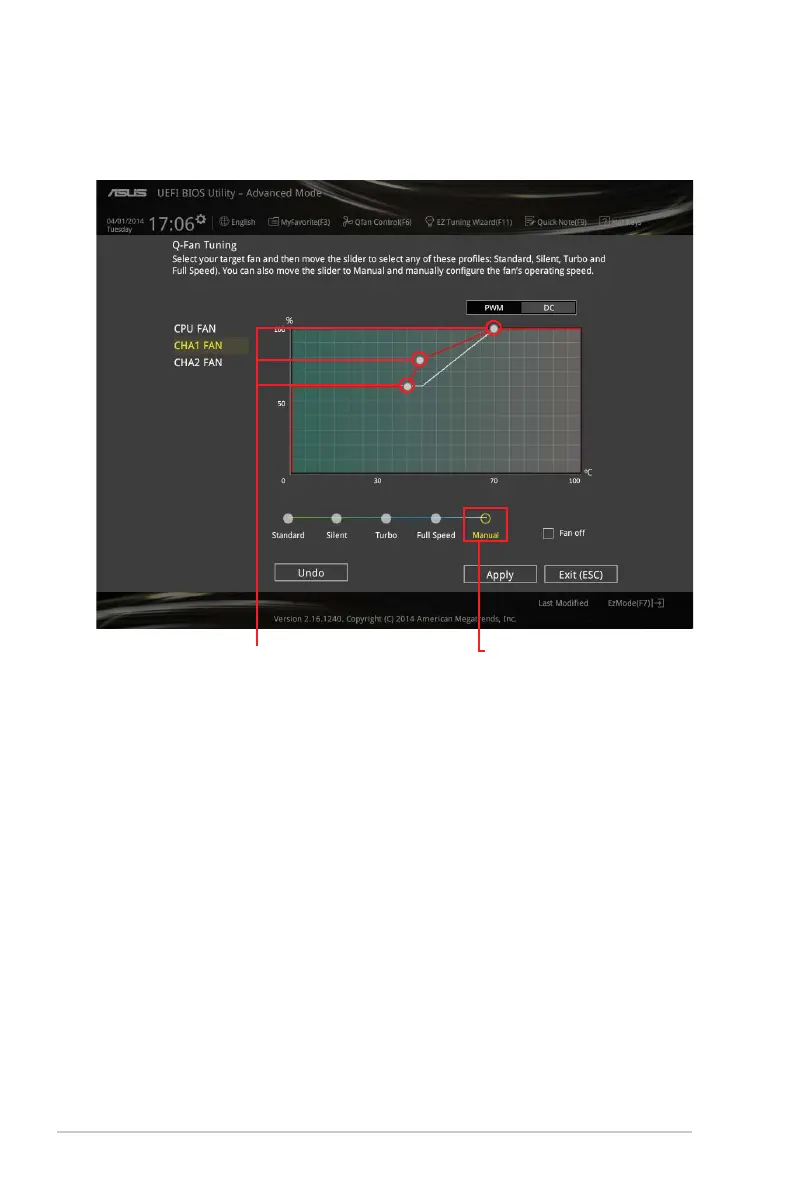
Configuring fans manually
Select Manualfromthelistofprolestomanuallycongureyourfansoperatingspeed.
Tocongureyourfans:
1. Selectthefanthatyouwanttocongureandtoviewitscurrentstatus.
2. Clickanddragthespeedpointstoadjustthefansoperatingspeed.
3. ClickApplytosavethechangesthenclickExit (ESC).
Speed points
Click to manually
configure your fans
2-12 Chapter 2: Getting started



 To Next Page