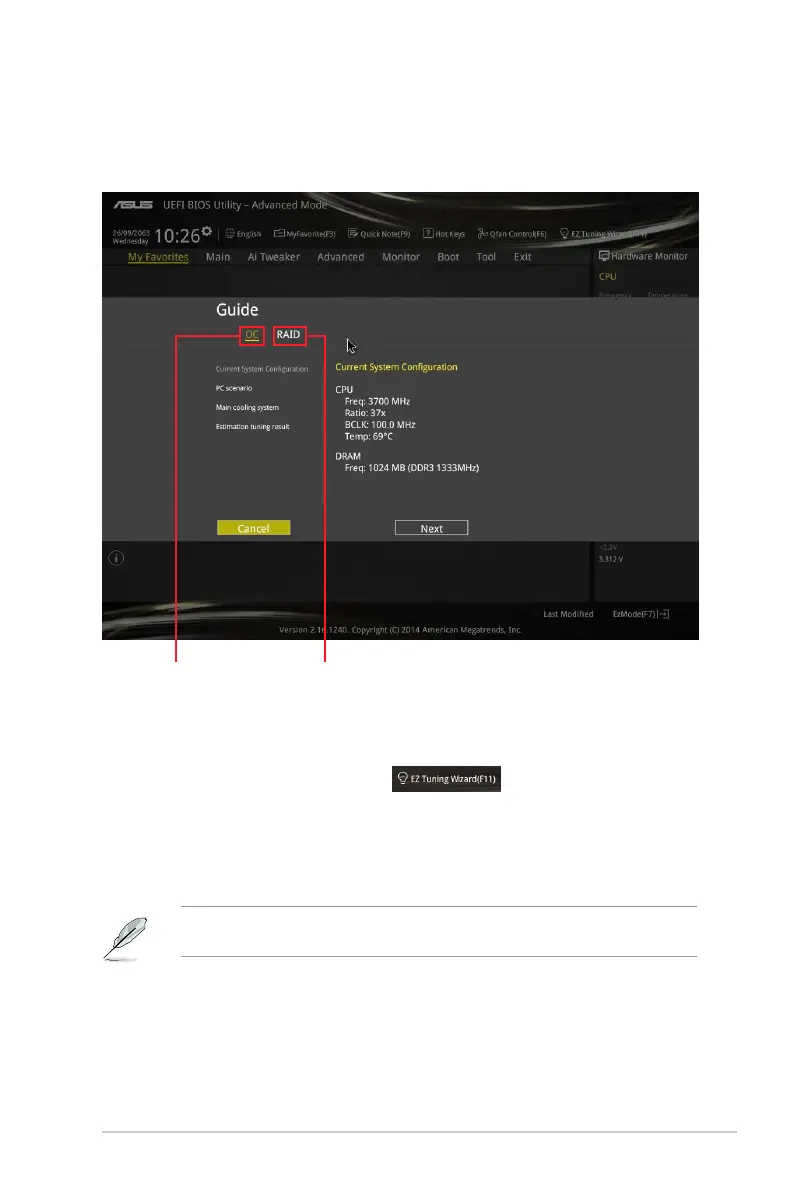
2.2.4 EZ Tuning Wizard
EZTuningWizardallowsyoutooverclockyourCPUandDRAM,computerusage,andCPU
fantotheirbestsettings.YoucanalsoeasilysetRAIDinyoursystemusingthisfeature.
Tuning your system settings
Totuneyoursettings:
1. Press<F11>onyourkeyboardorclick
fromtheBIOSscreentoopen
EZTuningWizardscreen,thenclickNext.
2. SelectaPCscenarioDaily Computing or Gaming/Media Editing,thenclickNext.
3. SelecttheCPUfantype(Box cooler,Tower cooler,orWater cooler)thatyou
installedthenclickNext.
IfyouarenotsureoftheCPUfantype,clickI’m not sure.Thesystemautomatically
detectstheCPUfantype.
4. ClickNextthenclickYes toconrmauto-tuning.
System OC setup RAID setup
ASUS H97I-PLUS 2-13



 To Next Page