Creating RAID
TocreateRAID:
1. Press<F11>onyourkeyboardorclick
fromtheBIOSscreentoopen
EZTuningWizardscreen.
2. ClickRAID
thenclickNext.
EnsurethatyourHDDshavenoexistingRAIDvolumes.
EnsuretoconnectyourHDDstoIntel
®
SATAconnectors.
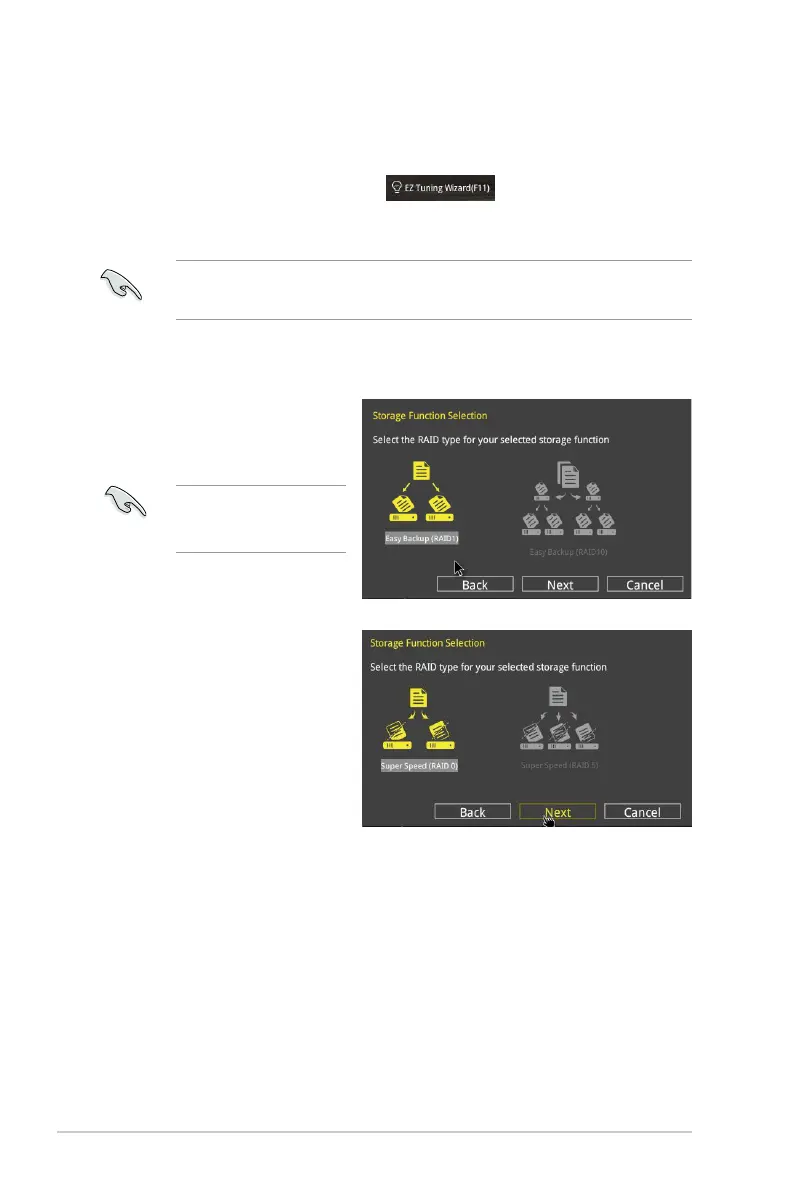
3. SelectthetypeofstorageforyourRAIDEasy Backup or Super Speed,thenclick
Next.
a. ForEasyBackup,click
NextthenselectfromEasy
Backup (RAID1) or Easy
Backup (RAID10).
4. AfterselectingthetypeofRAID,clickNextthenclickYestocontinuetheRAIDsetup.
5. AftertheRAIDsetupisdone,clickYestoexitthesetupthenclickOKtoresetyour
system.
YoucanonlyselectEasy
Backup(RAID10)ifyou
connectfour(4)HDDs.
b. ForEasyBackup,clickNext
thenselectfromSuper
Speed (RAID0) or Super
Speed (RAID5).
2-14 Chapter 2: Getting started



 To Next Page