ASUS Tablet E-Manual
32
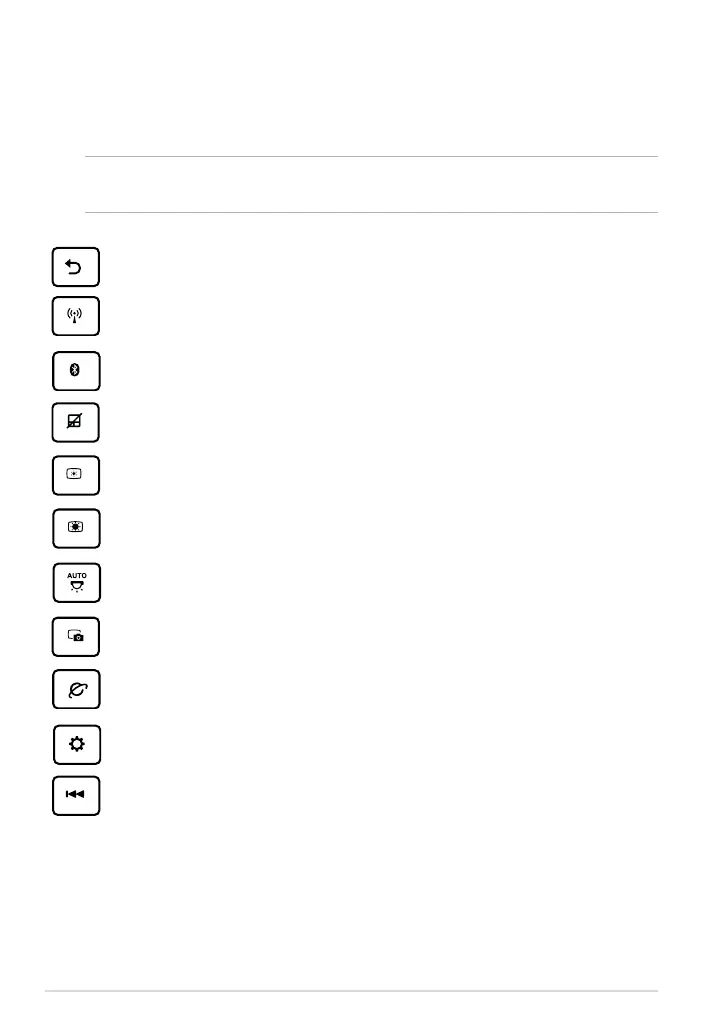
Special keys
The special keys on your ASUS mobile dock have standalone functions and some
must be used with the function key <Fn>.
NOTE: The placement of the special keys on the mobile dock may vary with country
or region, but their functions remain the same.
Returns to the previous page.
Toggles the internal wireless LAN ON or OFF.
Toggles the internal Bluetooth ON or OFF.
Toggles the touchpad ON or OFF.
Decreases the display brightness.
Increases the display brightness.
Toggles the ambient light sensor ON or OFF.
Captures the screen image.
Launches the web browser.
Launches the Settings screen.
Returns to the previous track when playing music.



 To Next Page