K00C
65
Gallery
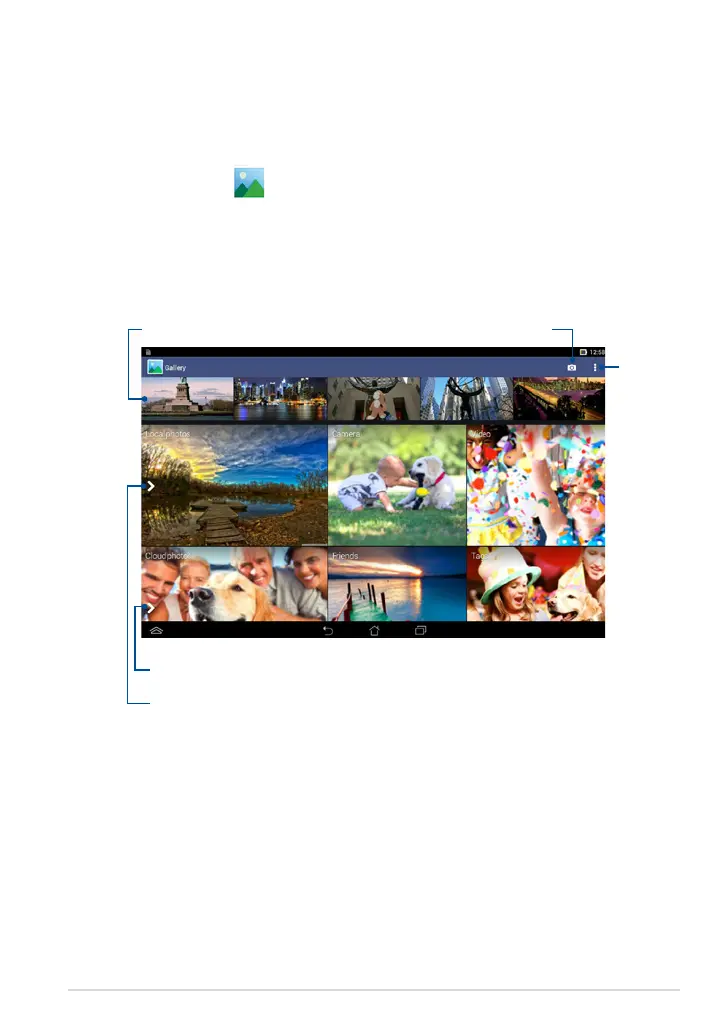
View images and play videos on your ASUS Tablet using the Gallery app. This app
also allows you to edit, share, or delete image and video les stored in your ASUS
Tablet. From Gallery, you can display images in a slideshow or tap to view the
selected image or video le.
To launch Gallery, tap
on the Home Screen.
Gallery main screen
Gallery
settings
Tap to quick-launch Camera app
Scroll from left to right or vice-versa
to view recent photos and videos
Swipe the arrow to the right to open photos and
videos by album, time, location, and people
Swipe the arrow to the right to open photos and
videos by cloud storages



 To Next Page