36
Chapter 2: There’s no place like Home
Understanding notication icons
These icons are shown on the status bar and will guide you of the current status of your ASUS
Tablet.
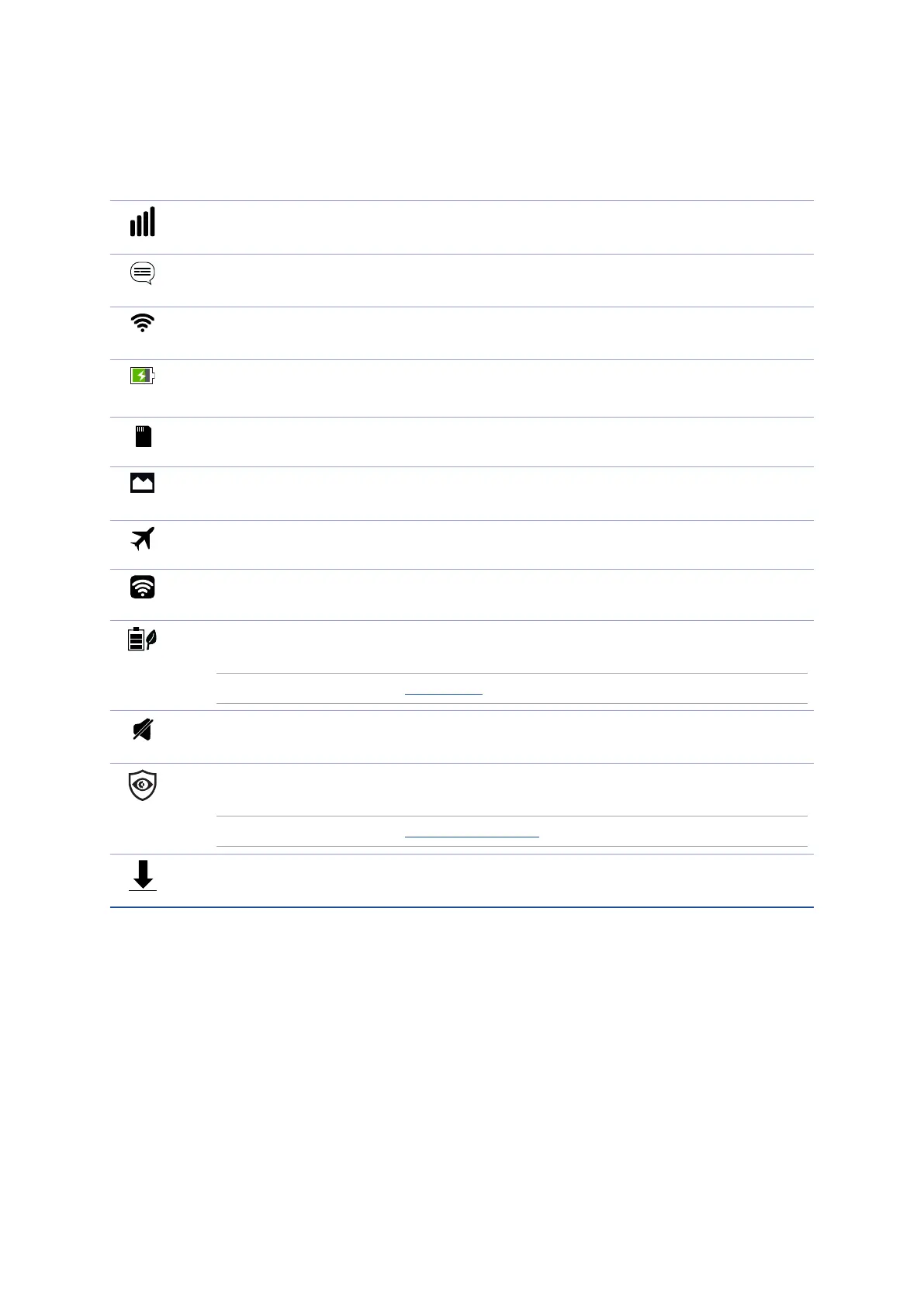
Mobile network (on selected models)
Shows the signal strength of your mobile network.
Messages
Shows that you have an unread message.
Wi-Fi
Shows the signal strength of your Wi-Fi connection.
Battery life
Shows the battery status of your ASUS Tablet.
MicroSD card
Shows that a microSD card is inserted in your ASUS Tablet.
Screenshots
Shows that you took screenshots of your ASUS Tablet.
Airplane mode
Shows that your ASUS Tablet is on Airplane mode.
Wi-Fi Hotspot
Shows that Wi-Fi hotspot of your ASUS Tablet is enabled.
Smart Saving mode
Shows that Smart Saving mode is enabled.
NOTE: For more details, see Power Saver.
Mute mode
Shows that Mute mode is enabled.
Bluelight Filter mode
Shows that Bluelight Filter mode is enabled.
NOTE: For more details, see Bluelight Filter mode.
Download status
Shows the download status of an app or le.



 To Next Page