26
RT-N15U Chapter 4: Conguring via the web GUI
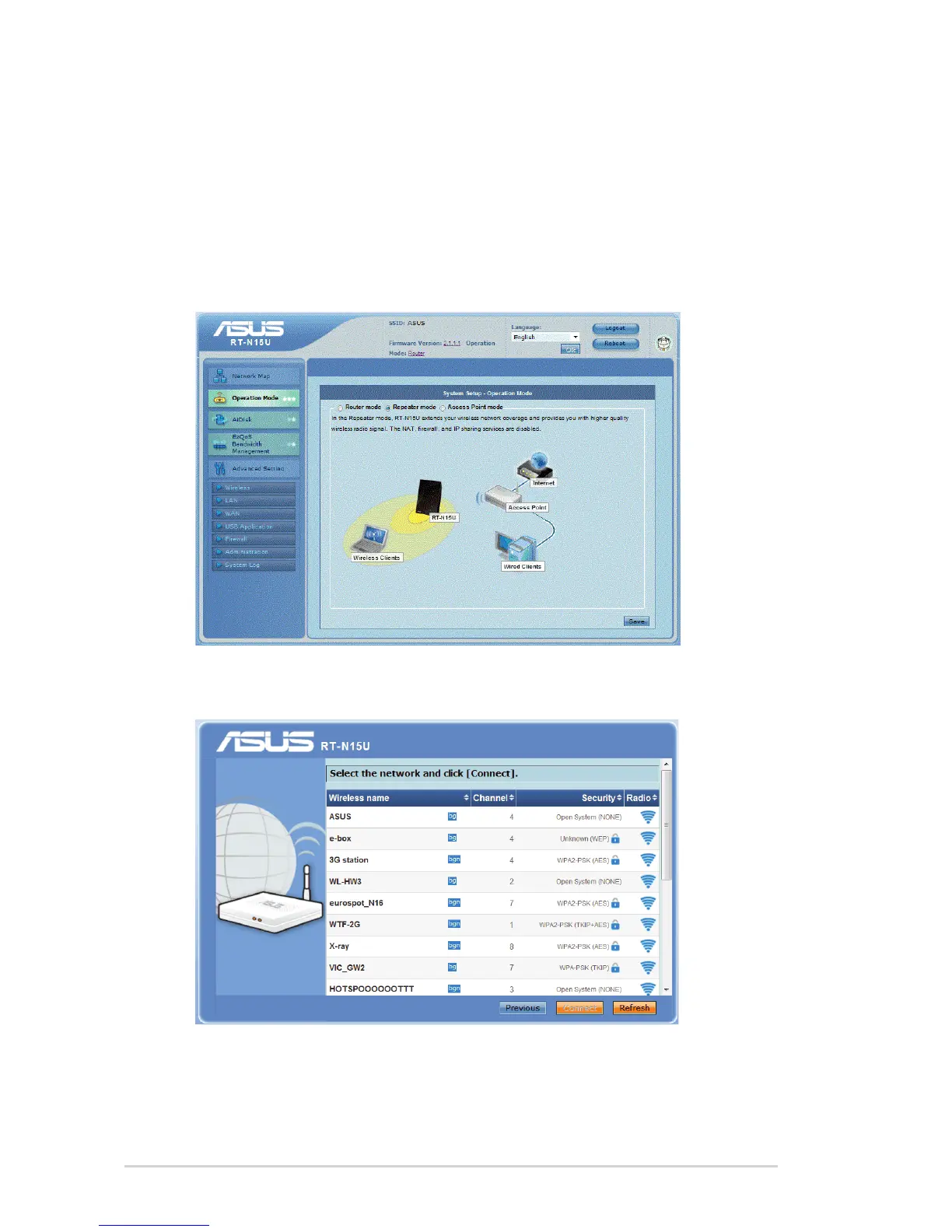
Setting up the wireless router in Repeater mode
In the Repeart mode, the wireless router extends your wireless network coverage
and provides you with higher wireless signal. NAT, rewall, and IP sharing are
disabled.
To set up the wireless router in Repeater mode:
1. From the navigation menu, click Operation Mode, select Repeater mode, and
click Save.
2. From the network list, select the network that you want to connect to, then click
Connect.



 To Next Page