8
RT-N15U Chapter 1: Knowing your wireless router
• Install the device at least 20cm from a person to insure that the product is
operated in accordance with the RF Guidelines for Human Exposure adopted
by the Federal Communications Commission.
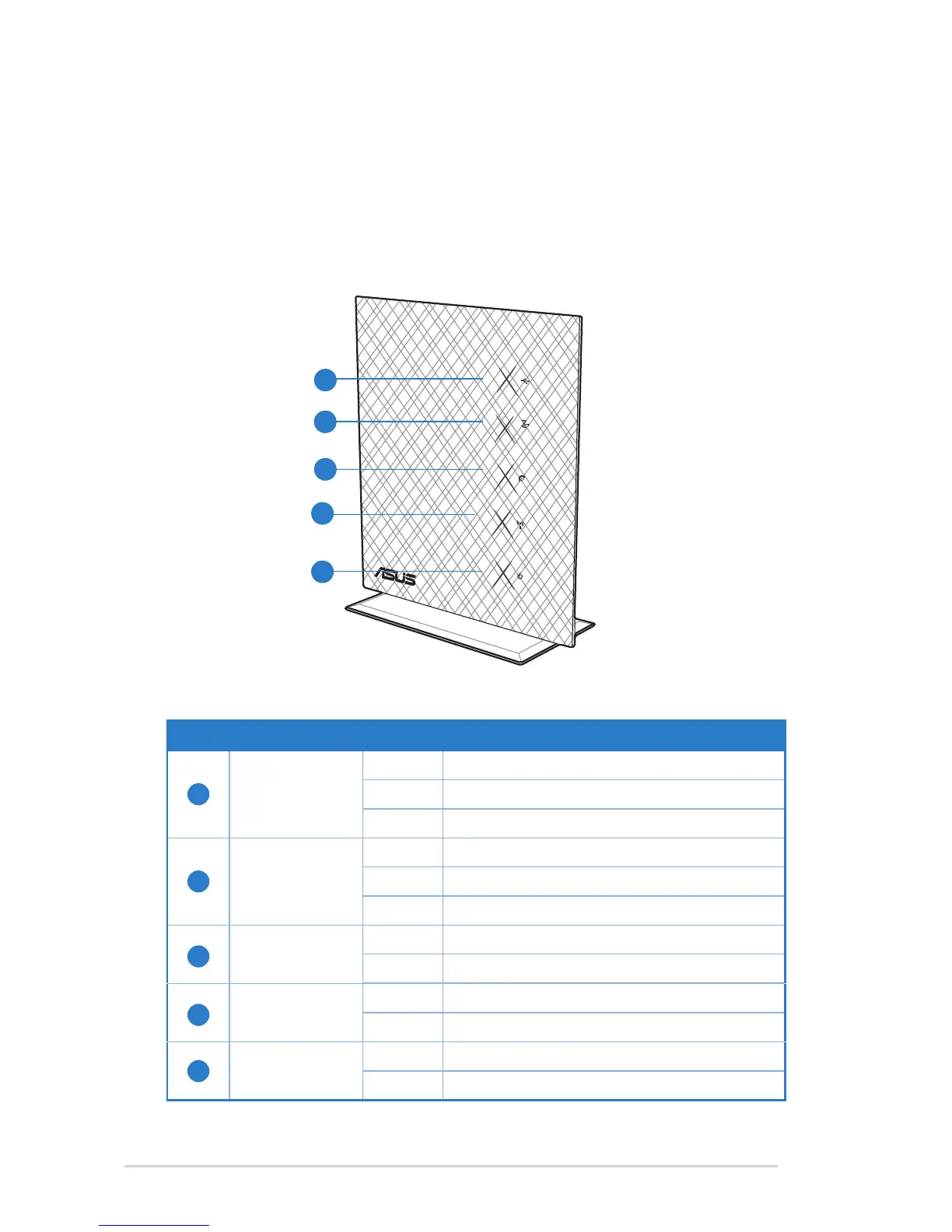
Hardware features
Front panel
Status indicators
Item LED Status Indication
1
Power
Off No power
On System ready
Flashing Rescue mode
2
WLAN
Off No power
On Wireless system ready
Flashing Transmitting or receiving data (wireless)
3
WAN (Wide
Area Network)
Off No power or no physical connection
On Has physical connection to an Ethernet network
4
LAN (Local
Area Network)
Off No power or no physical connection
On Has physical connection to an Ethernet network
5
USB
Off No power or no physical connection
On External USB device is installed.
1
5
4
3
2



 To Next Page