6-24
Chapter 6: RAID Conguration
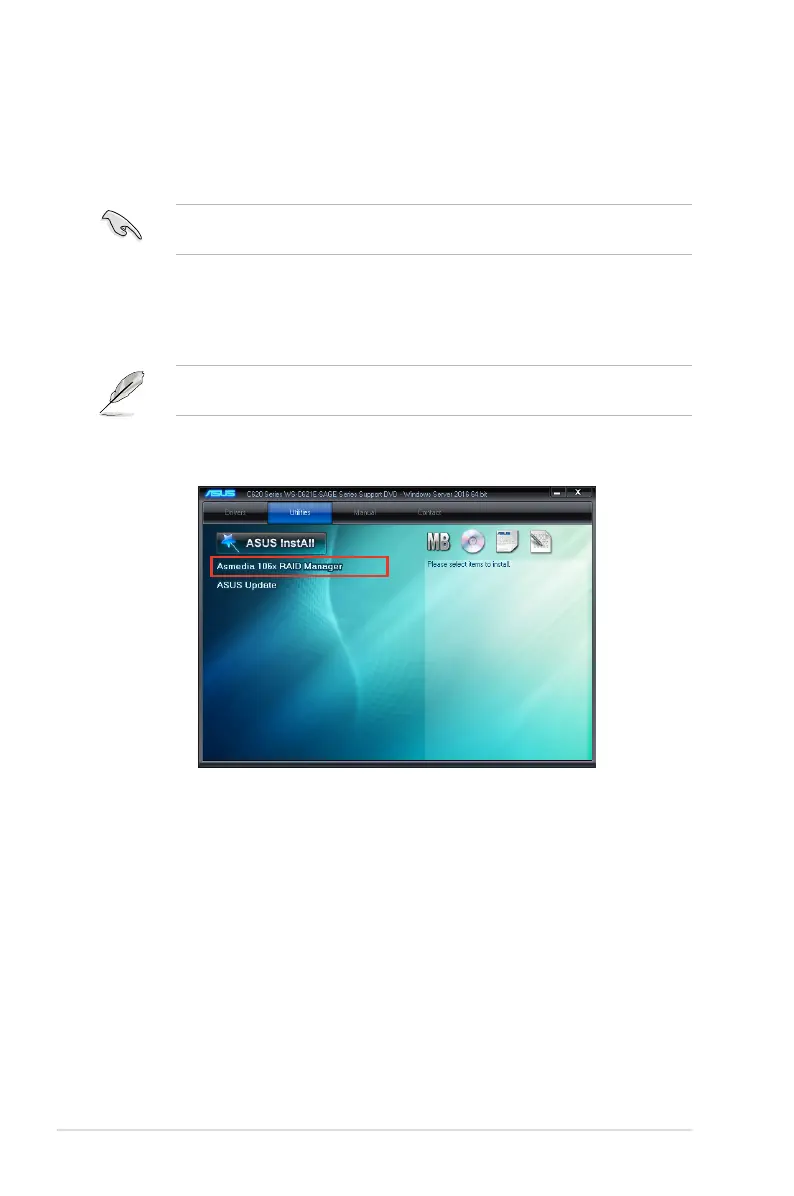
6.5 ASMedia 106x RAID Manager (Windows)
The ASMedia 106x RAID Manager allows you to create RAID 0, and RAID 1 set(s) from
Serial ATA hard disk drives that are connected to the Serial ATA connectors supported by the
Southbridge.
To enter the ASMedia
®
106x RAID Manager under Windows operating system:
You do not need to manually install the ASMedia 106x RAID Manager on a Windows
®
operating system.
1. Insert the motherboard/system support DVD into the optical drive. The support DVD
automatically displays the Drivers menu if Autorun is enabled in your computer.
If Autorun is NOT enabled in your computer, browse the contents of the support DVD to
locate the le Setup.exe. Double-click the Setup.exe to run the support DVD.
2. Click on the
Utilities
tab, then click on
Asmedia 106x RAID Manager
to launch the
RAID Manager.












 To Next Page