Chapter 2: Hardware Setup
2-26
2.7.4 Installing an M.2 expansion card
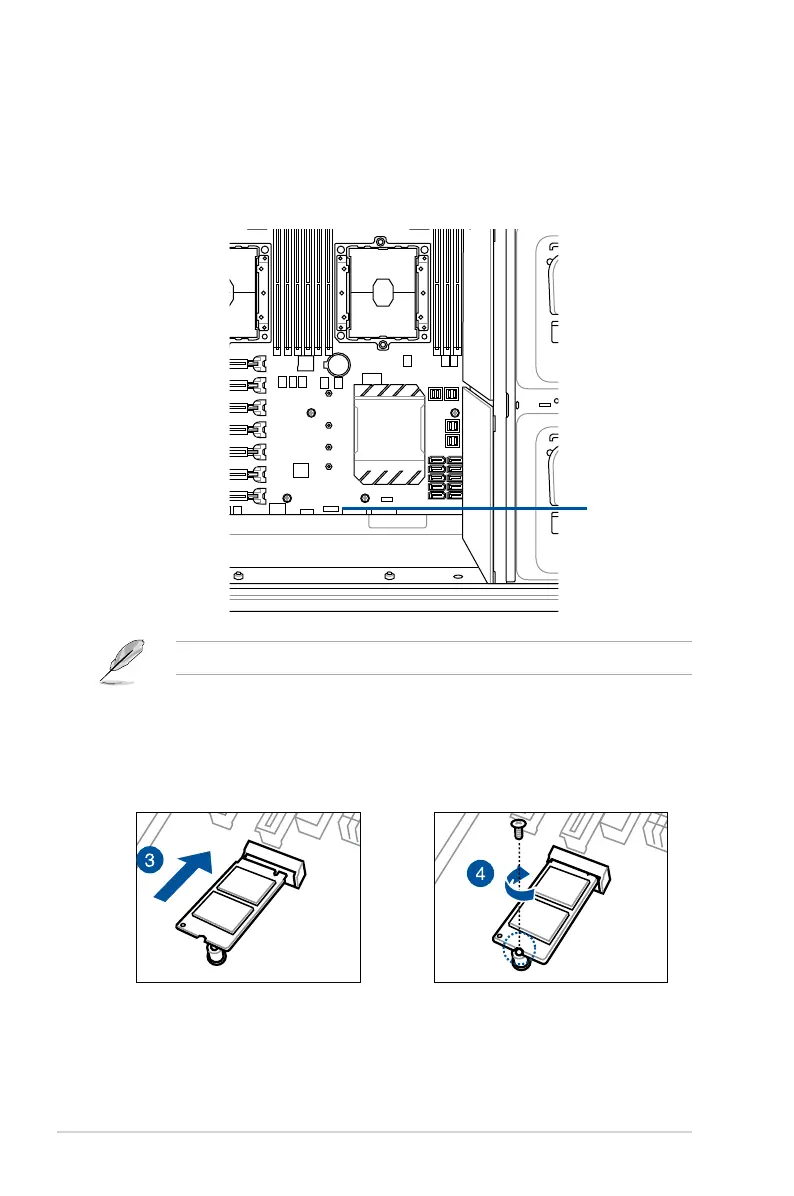
YoucaninstallanM.2expansioncardontheprovidedM.2socketonboard.
ToinstallanM.2expansioncard:
1. RemovethescrewontheM.2socketandsetitaside.
2. FindyourM.2expansioncard.
3. AlignandinserttheM.2cardintotheM.2slotonboardasshown.
4. Secure the M.2 card with a screw that you removed earlier in step 1.
Theillustrationsbelowvarywithmodels.Theinstallationstepsarethesame.
M.2 socket





 To Next Page