2-13
ASUS TS700-E9 Series
2.5.3 Removing the backplane
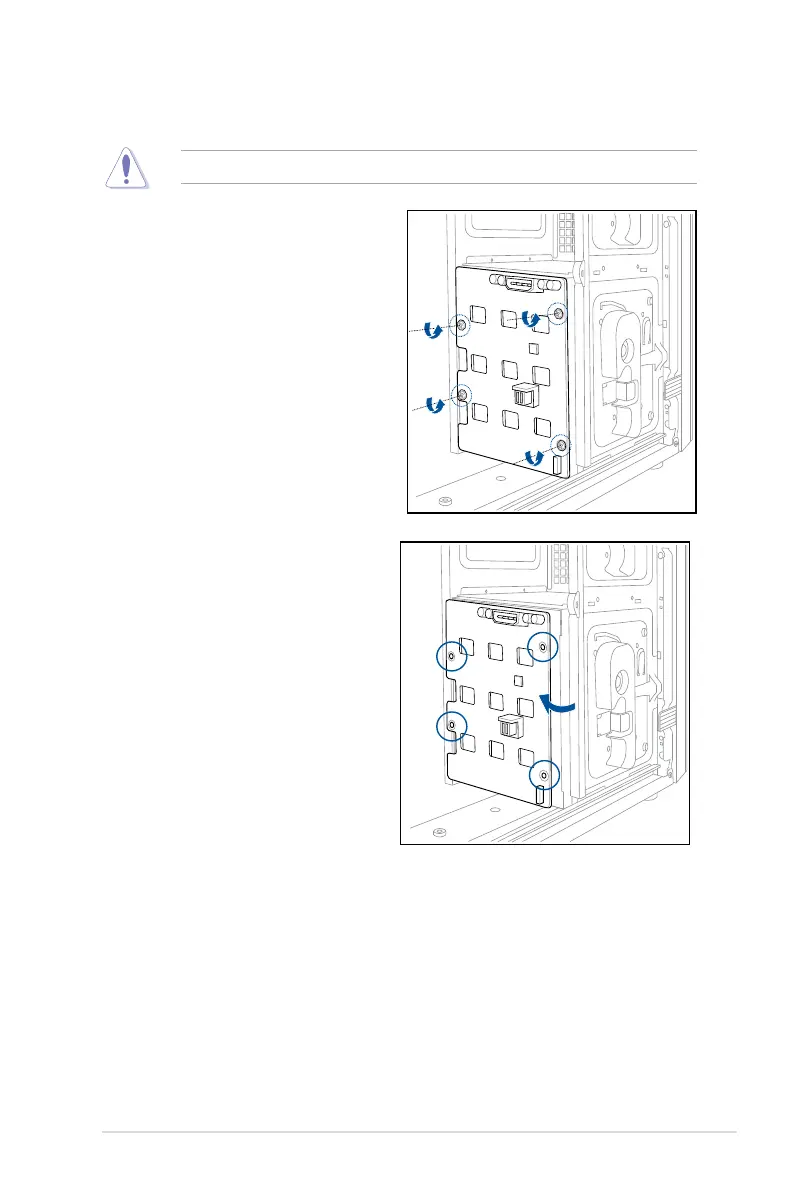
DONOTremovethebackplaneunlessnecessary!
4. Firmlyholdthebackplane,andturnit
in the direction of the arrow.
5. Removethebackplanefromthe
module.
1. Remove all hot-swap HDD trays from
the chassis.
2. DisconnectallcablesfromtheSATA/
SASbackplane.
3. Loosenthefourscrewsonthe
backplane.



 To Next Page