6-35
ASUS TS700-E9 Series
6.6.3 Installing the RAID controller driver during Windows
®
10 OS installation
After creating the RAID sets, you are now ready to install an operating system to the
independent drives or bootable array. This part provides the instructions on how to install the
RAID controller drivers during OS installation.
To install the RAID controller driver when installing Windows
®
10 OS:
1. Boot the computer using the Windows
®
10 OS installation disc. Follow the screen
instructions to start installing Windows
®
10.
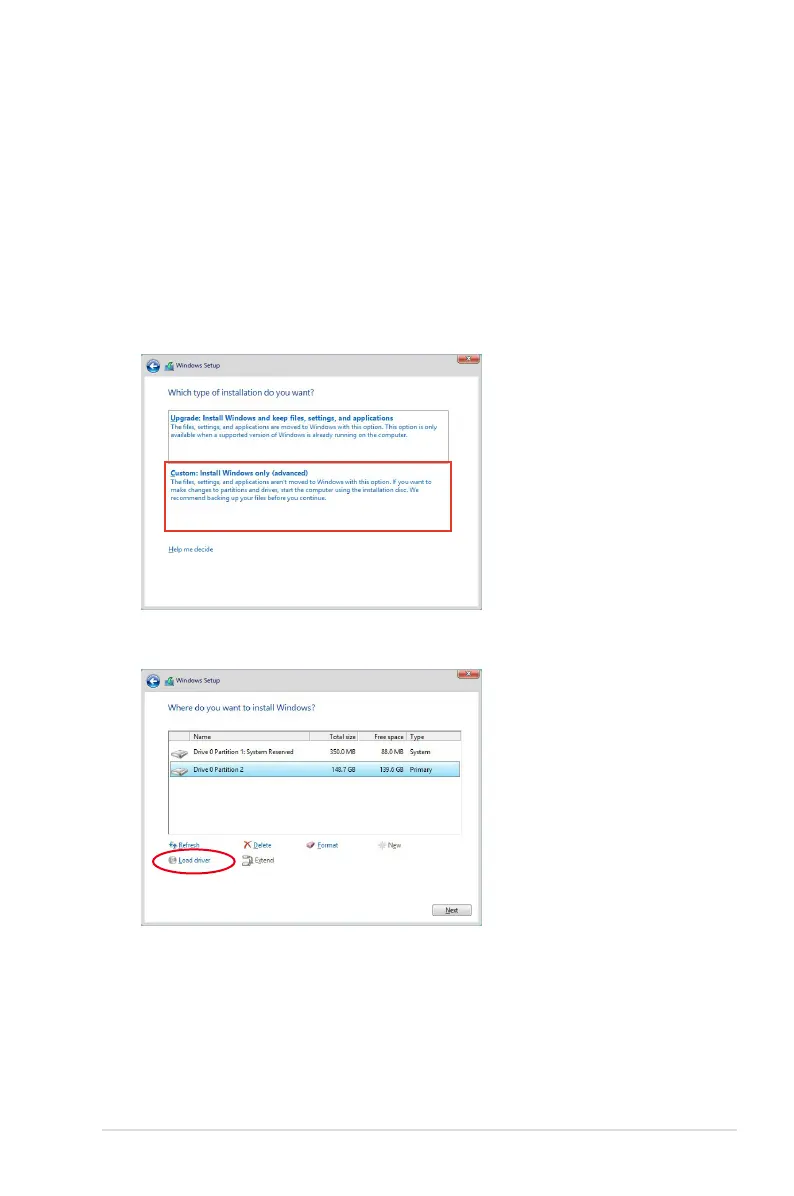
2. When prompted to choose a type of installation, click Custom: Install Windows only
(advanced).
3. Click Load Driver.



 To Next Page