2-17
ASUS TS700-E9 Series
Wheninstalled,theSATA/SASconnectoronthedriveconnectstotheSATA/
SASinterfaceonthebackplane.
9. Repeatsteps1to8toinstallother2.5-inchharddiskdrives.
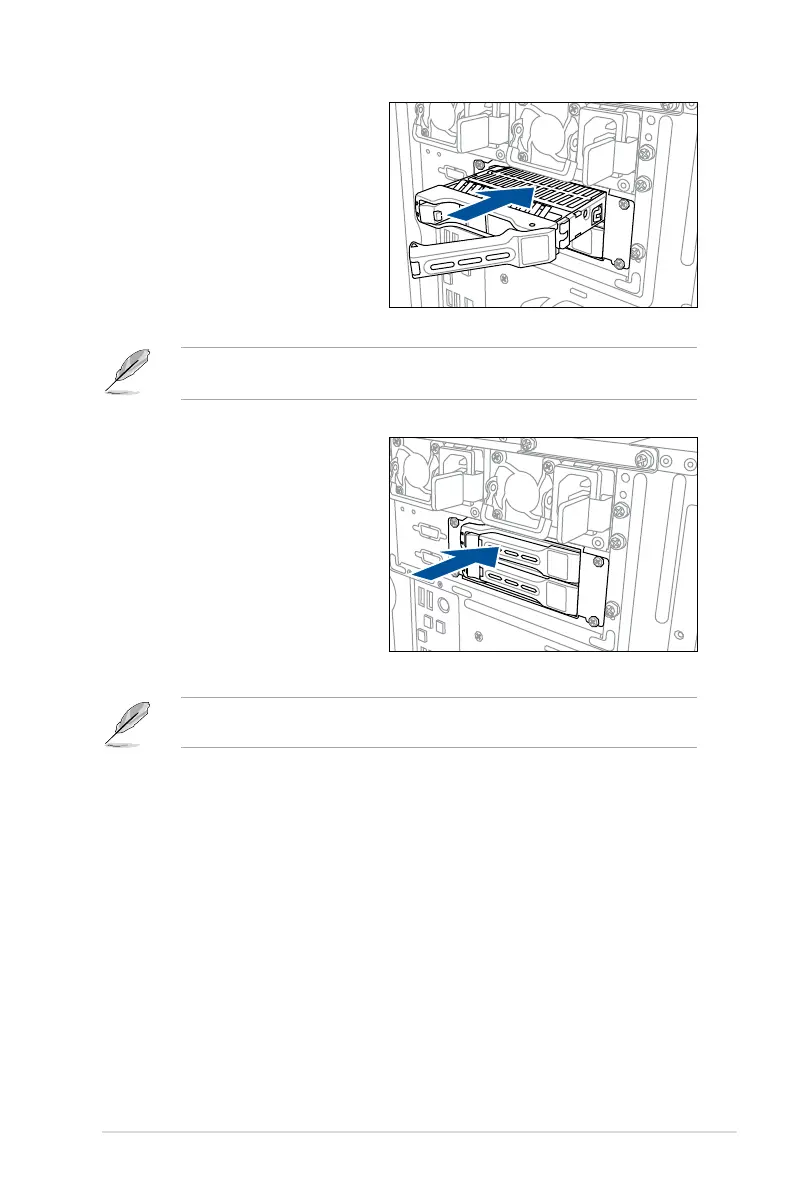
7. Carefullyinsertthedrivetraywith
its case facing downwards and
pushitallthewaytothedrivebay.
8. Lockthesecuretabtosecurethe
drive tray in place.
Whenthedrivetrayassemblyisproperlyinstalled,youwillseetheedgeofthedrivetrayis
in align with the chassis cover.



 To Next Page