18
VivoTab Note 8 E-Manual
Getting started
Charging your VivoTab Note 8
NOTE: The power adapter may vary in appearance, depending on your
country or region.
Charge the VivoTab Note 8 for eight (8) hours before using it in
battery mode for the rst time.
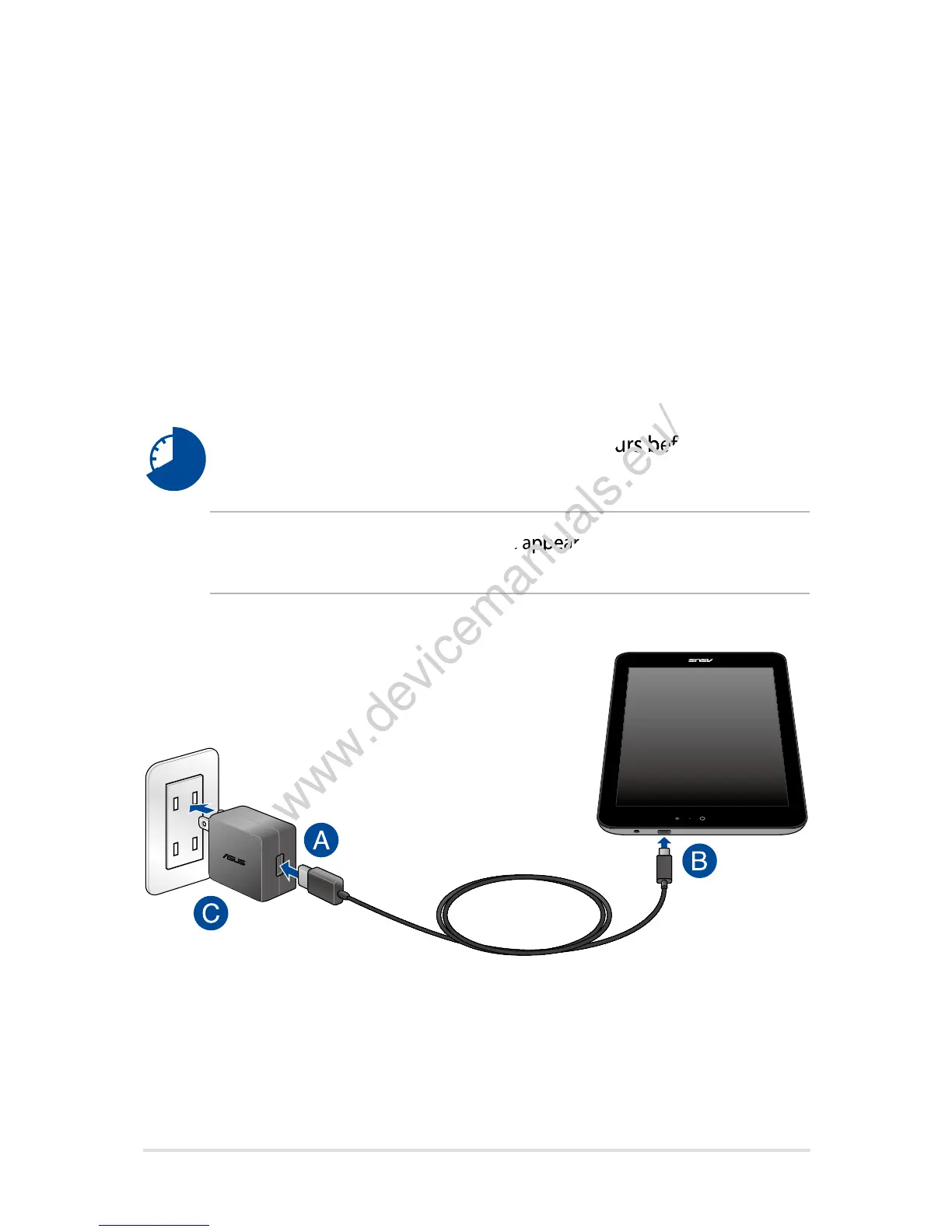
To charge your VivoTab Note 8:
A. Connect the micro USB cable to the power adapter.
B. Plug the micro USB connector into micro USB 2.0 port of your
VivoTab Note 8.
C. Plug the power adapter into a grounded power outlet.
The power adapter may vary in appearance, depending on your
www.devicemanuals.eu/
The power adapter may vary in appearance, depending on your
Charge the VivoTab Note 8 for eight (8) hours before using it in
www.devicemanuals.eu/
Charge the VivoTab Note 8 for eight (8) hours before using it in
Plug the power adapter into a grounded power outlet.
www.devicemanuals.eu/
Plug the power adapter into a grounded power outlet.














 To Next Page