13
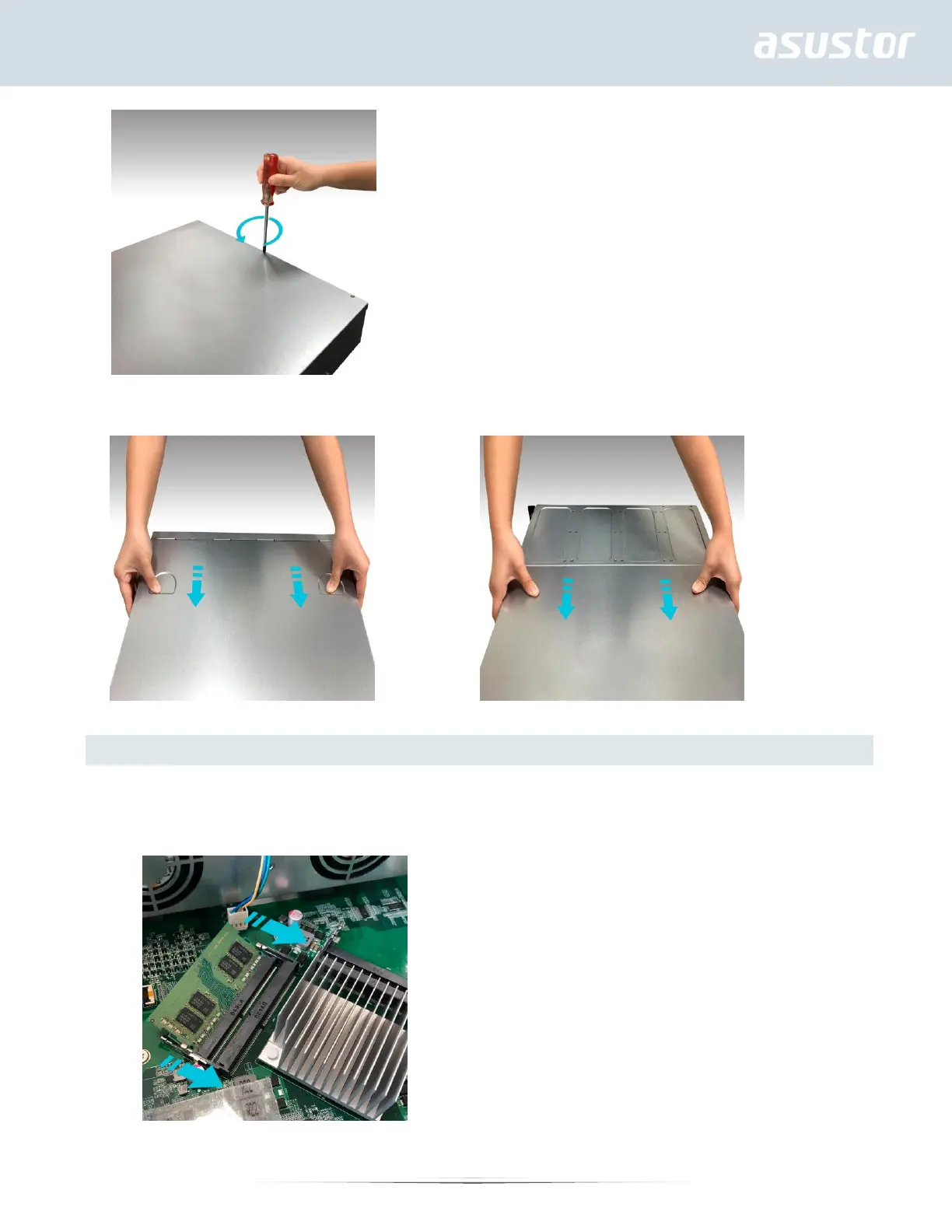
4. Grip the cover from both sides with two hands and then gently push it back to remove it from the chassis.
AS6504RS/AS6504RD AS6512RD
Installing Memory
When installing a memory module, follow the steps outlined below.
1. For each slot, diagonally slide in a new memory module (as shown in the graphic below) making sure that each
memory module’s connectors are fully inserted into the slot.


 To Next Page