20
4. Software Installation Guide
There are 4 different installation methods that you can choose from. Please select the method most suitable for you. You
can go to the download section of the ASUSTOR website (http://www.asustor.com/service/downloads) to download the
latest software.
Download Center Installation
Windows Users
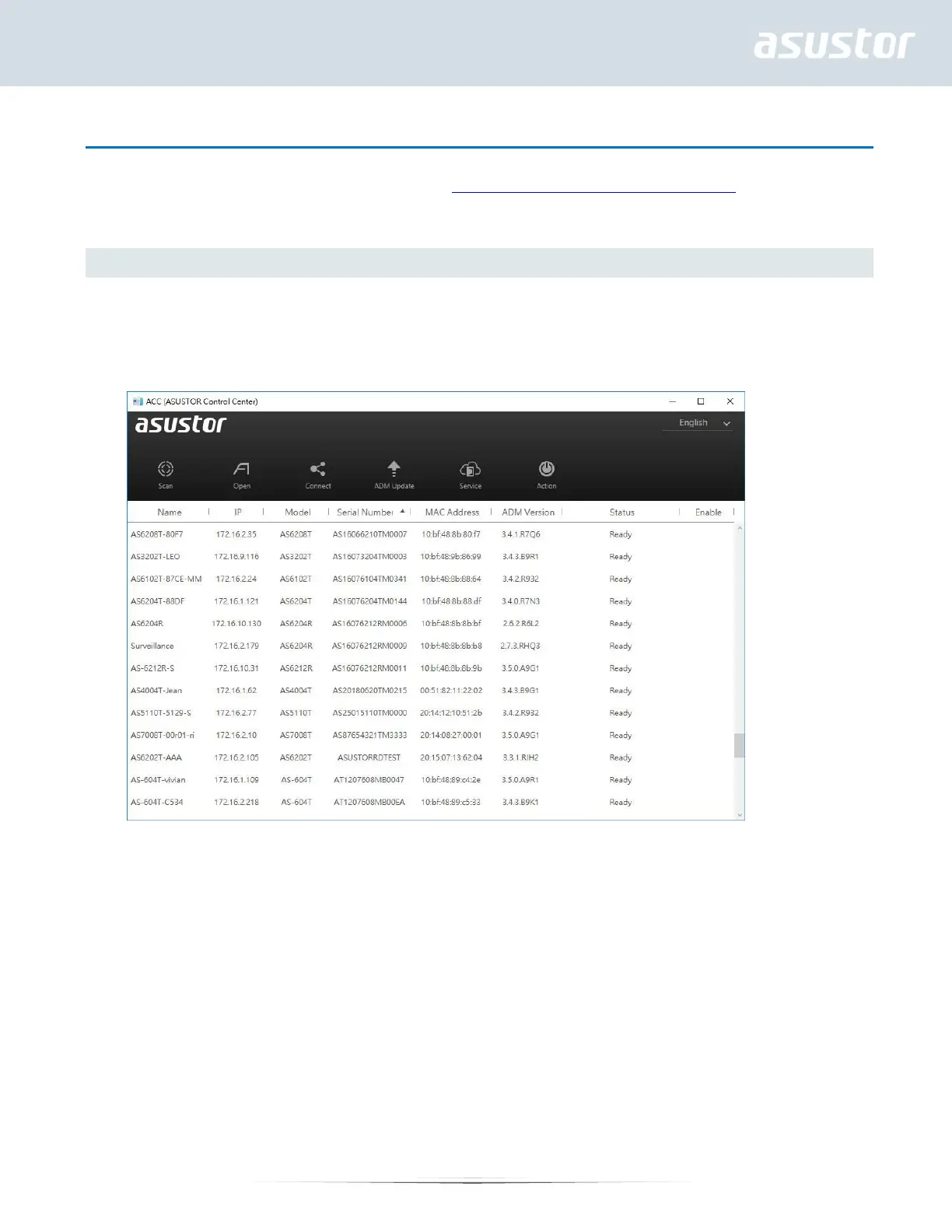
1. After ASUSTOR Control Center has been installed, it will automatically begin to scan your network for ASUSTOR
NAS devices.
2. Select your NAS from the list and follow the installation wizard’s instructions to complete the configuration process.


 To Next Page