Self-Test Menu (continued)
Statistics Menu
STATETICS
Select STATISTICS at the Self-Test Menu. The Statistics Menu allows you to assess how often and how
well the game is being played. In addition to the earnings, various game aspects are tracked to determine
the player skill levels. The statistics may be reset to zero or allowed to increase after each viewing.
STATISTICS REPORT MENU
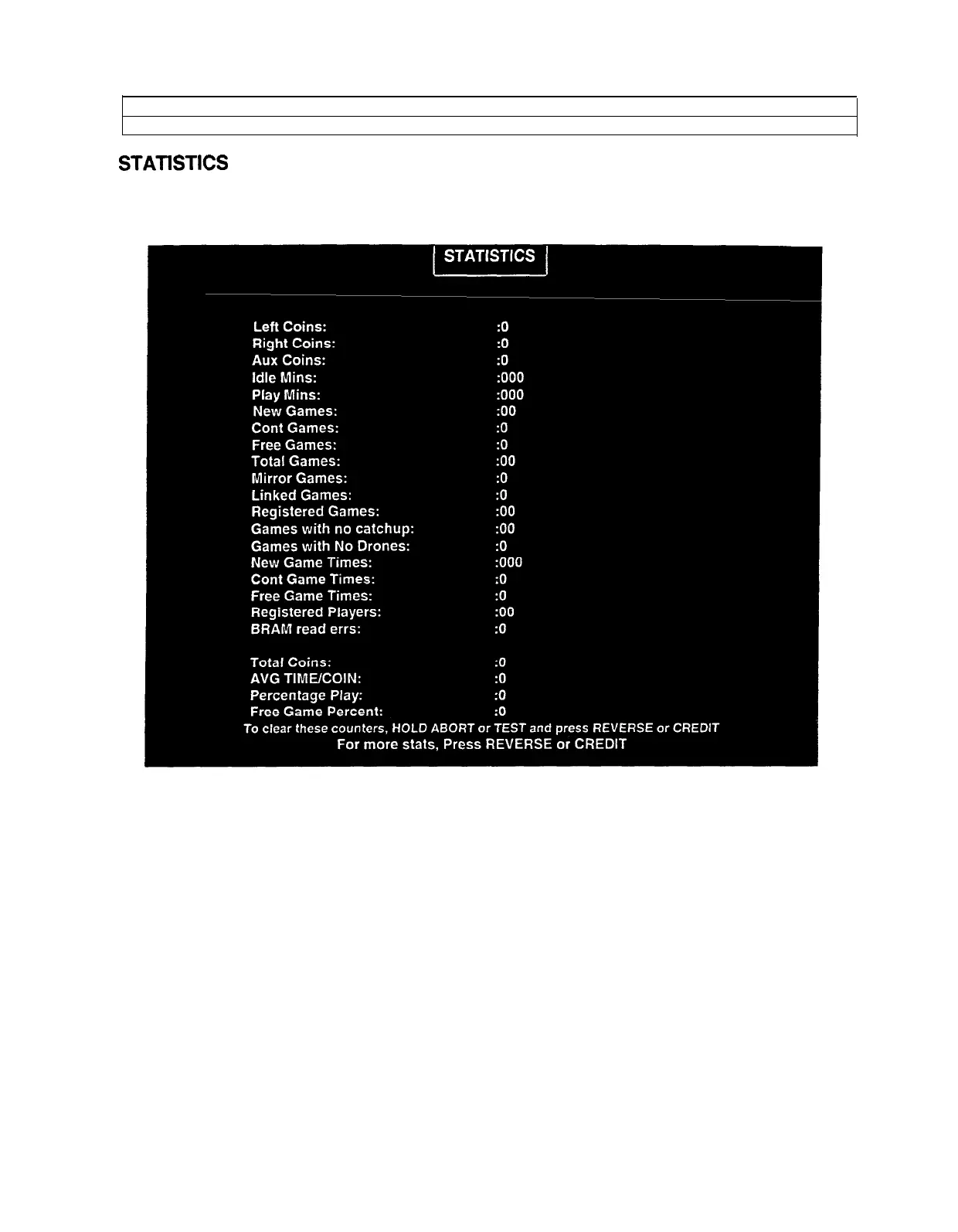
The illustration shows how the report screen will look after the game has been reset or is first turned on.
Most of the statistics will increase in value as the game is played. It is normal for some values to remain at
zero: for example, the Earned Games count won’t change unless the cabinet has been set up for free
games, and the
Error
count won’t change if no errors have occurred.
Low counts in both coin and player statistics may indicate that the game is too difficult for the skill levels of
the players at this location. High counts may result if Bonus or Winner Option menu items are in effect.
The difficulty level and other play characteristics may be adjusted from the Game Options menu.
Press only the REVERSE button to view the additional game statistics. If the game has not been played
before, or if the counters have been cleared, the additional statistics won’t be present.
Note and record user messages. These messages can be useful in detecting intermittent conditions.
Record Statistics before servicing this game.
5-s



 To Next Page