VGM Startup Troubleshooting Table
SYMPTOM
-~
.
VGM doesn’t start.
.
VGM appears completely
non-functional.
.
No audio
.
No illumination
.
No video display
CAUSE
Power problem
lmnrnner
ho
vnltanc3
,,,y,vy
I
..#I"
.-V.-J-
switch setting
Open fuse
Faulty wiring
CPU Board problem
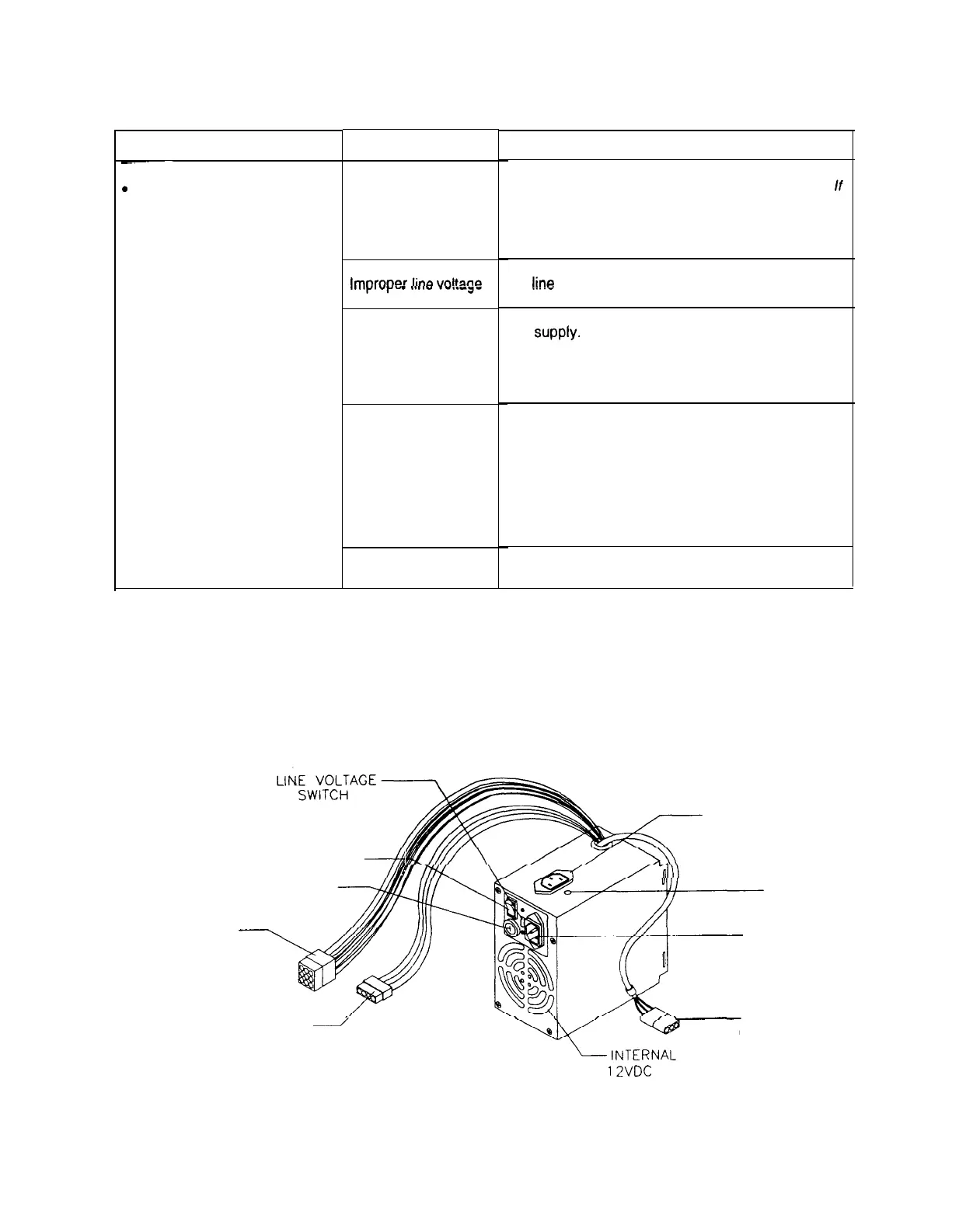
POWER SWITCH
4
LINE FUSE
DC POWER
\
CONNECTOR
HARD DISK DRIVE
/
POWER CONNECTOR
REQUIRED ACTION
1.
Check that VGM power switch is on.
2.
Inspect electronics to see if fans are turning. If
not: Is power supply connected to its power
cable? Is power supply turned on?
3.
Plug VGM into AC power outlet. Verify presence
of AC line voltage.
Turn off VGM power. Unplug AC line cord. Check
!ine
voltage switch. If necessary, set it to agree
with local AC line voltage. Retest VGM.
1.
Turn off VGM power. Examine AC fuse on power
supply.
2. Examine DC fuses inside coin door vault.
3. Replace faulty fuses with identically rated parts.
4.
Turn on VGM power. If fuse opens again, check
DC wiring harness and connectors.
1.
Remove line cord. Test line cord, power plug,
and IEC connector for breaks or damage. Verify
continuity of each wire in cord. Install cord at
power chassis. Press connector firmly to seat it.
2. Check other cables in same manner.
3. Assure that cabinet wiring harness connectors
fully seat in corresponding power supply and
board connectors.
4. Inspect wiring for breaks or damage.
Turn off power for one minute and turn VGM on
again. Power On Self-Test checks electronics.
AUXILIARY POWER
CONNECTOR
VOLTAGE
ADJUSTMENT
LINE CORD
CONNECTOR
AC POWER
CONNECTOR
12VDC FAN
Power Supply and Line Cord
7-3
3



 To Next Page