VGM Startup Troubleshooting Table, confinued
SYMPTOM
VGM doesn’t start.
VGM accepts currency or
tokens.
CAUSE
Faulty coin
mechanism
Faulty switches
Faulty
wiring
REQUIRED ACTION
1.
Unlock and open coin door. Check each
currency acceptor to assure proper mounting.
Verify that each release latch is closed and
locked. Does mechanism accept and reject
currency correctly? Test mechanism with good
and bad coins.
2. Inspect to see if external acceptor indicators
(Pricing, Flashing Arrows, etc.) are lit.
~
1.
Verify that each acceptor operates properly by
placing it in working VGM. Replace bad parts.
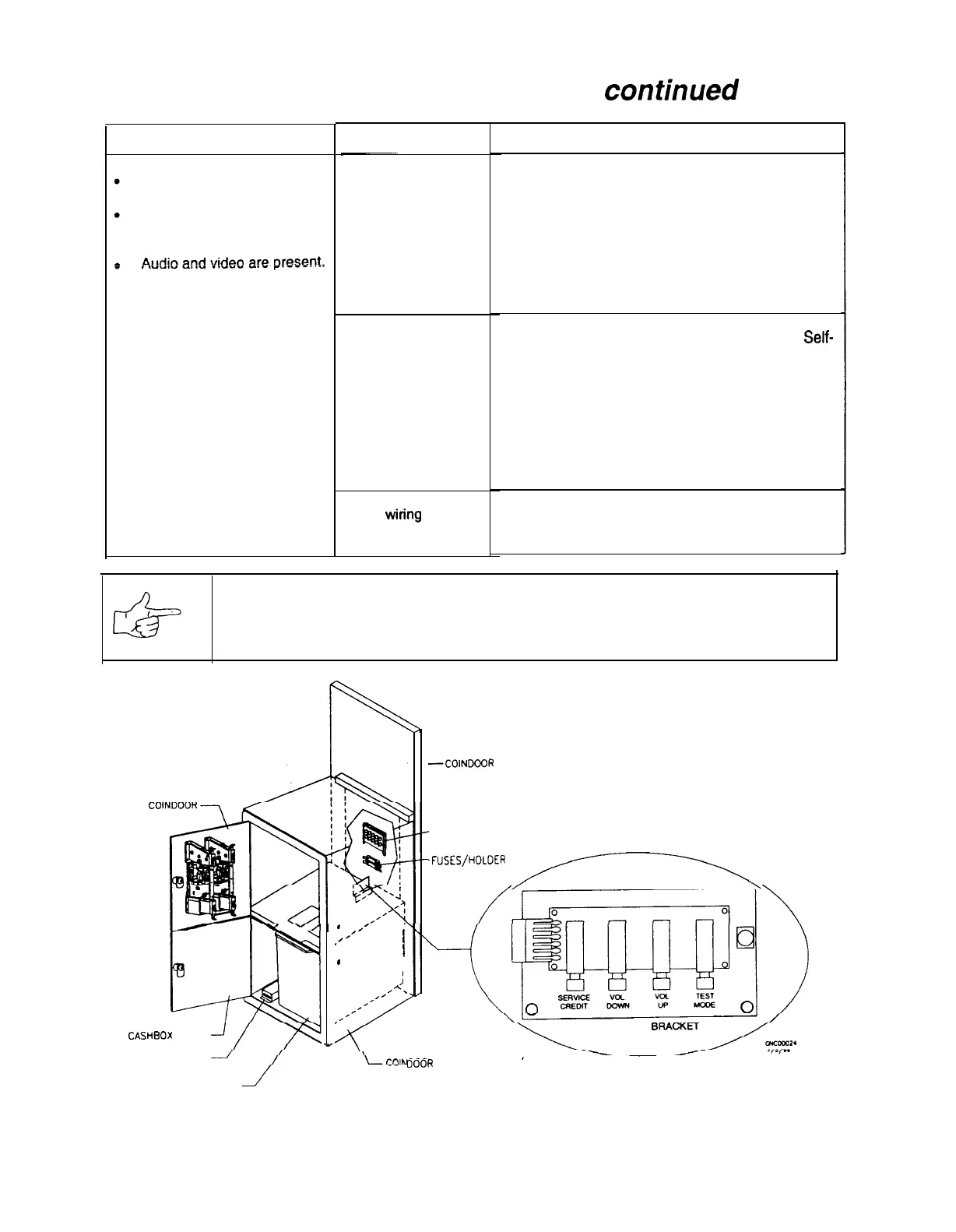
1. Enter Menu System by pressing and holding
TEST MODE switch inside coin door. From
Self-
Test Menu, choose CONTROLS TEST. Use
tests to confirm operation of each switch.
2. Assure that no loose parts or wires are caught in
switch contacts.
3. Check for continuity in each suspect switch
connection (Common to Normally Open or
Common to Normally Closed).
4. Replace faulty switches (bent levers, broken
actuators, etc.).
1.
Assure that no wires are caught in hinges,
latches or switch contacts.
2. Check wiring continuity from circuit board
connectors to acceptors.
NOTICE: Gearshift switches are wired for normally closed operation. The other
switches are wired for normally open operation. Reconnect wires to proper switch
terminals.
CASHBOX
DOOR
COIN METER
J
CASH TUB
.
/’
,
.’
,
8
,
.
I
I
;
,/A.
,’
I’
.’
,’
/
-COINDOOR WOOD PANEL
SHOWN FOR REFERENCE
-MONITOR CONTROLS
.FUSES/HOLDER
,/,------\
TEST SWITCH
__.R
VAULT ASSEMBLY
Interior View of Coin Door and Cash Door
7-5
5



 To Next Page