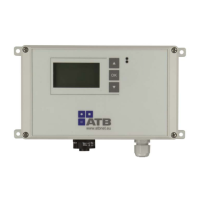
Operating instructions AQUAMAX
®
BASIC/CLASSIC
ATB WATER GmbH, Südstraße 2, D-32457 Porta Westfalica, www.atbwater.com /
Art.-No.: 9060 0270 / Status: 09.06.2023 /
Page 25 from 36
HOME Menu
AERATION Menu (USER)
Access to the submenus
˗ AERATION
˗ PUMPS
˗ LOGS (Logbooks)
˗ QUIT ALARM (no
special submenu)
˗ PARAMETER
Possibility of switching to
SERVICE mode. To do this,
enter the code in the upper
field as for the ATBcontrol,
then LOGIN.
Display USER mode and
the remaining time of the
WiFi connection (is reset
to 300 s each time the
button is used
.
Date / Time
Information on the current
phase (e.g. feeding,
aeration, settling phase)
and the remaining time.
Other information on the
control unit, the set unit
type and the number of
PTs.
Current
settings.
Changes are
only possible in
the "SERVICE"
user level (see
PUMP menu)
Current
consumption
Float level
Remaining time
manual operation
Switch to hand
mode and
back.
Start / Stop
manuel mode


 To Next Page