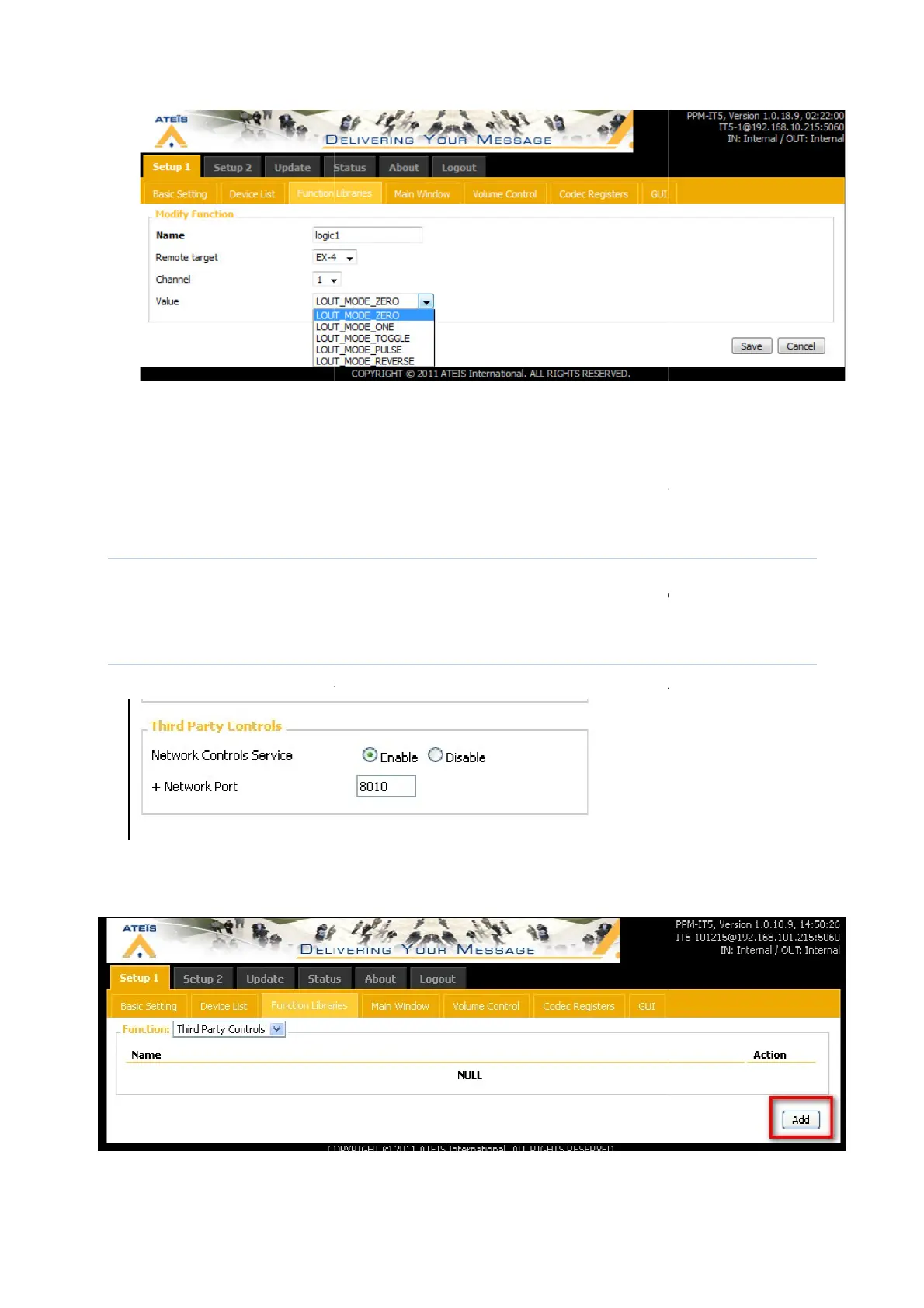
MODE_ZERO means that the logic output will be set to zero
MODE_ONE means that the logic output will be set to
MODE_TOGGLE means that the logic output will be set to
one if it was on zero.
MODE_REVERSE means that the logic output will be set to
Locked button
With this function,
function is that if you set the logic out to high, you have then to change the logic out to low, if
you want the logic out to go back to low.
Third party Controls
First on the Basic setting page, choose the network port for the communication
In the function Libaries page, select third party controls.
Add third party control function
MODE_ZERO means that the logic output will be set to zero
MODE_ONE means that the logic output will be set to
one
MODE_TOGGLE means that the logic output will be set to
zero if it was on one, and to
on the logic output, the device will send several pulses
MODE_REVERSE means that the logic output will be set to
?
to high and
to low. The difference with “Logic out”
function is that if you set the logic out to high, you have then to change the logic out to low, if
you want the logic out to go back to low.
First on the Basic setting page, choose the network port for the communication
In the function Libaries page, select third party controls.
Add third party control function
:
zero if it was on one, and to
on the logic output, the device will send several pulses
to low. The difference with “Logic out”
function is that if you set the logic out to high, you have then to change the logic out to low, if
First on the Basic setting page, choose the network port for the communication
:



 To Next Page