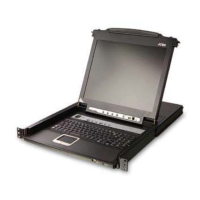
CL5708 / CL5716 User Manual
52
Port OS Control
A port’s operating system can be changed to match that of the computer
attached to the port. To change a port’s operating system, key in the following
hotkey combination:
1. Invoke hotkey mode with the [Num Lock] + [-] or [Ctrl] + [F12]
combination.
2. Key in [Function], where [Function] refers to one of the function keys in
the following table:
After pressing a function key you automatically exit Hotkey mode.
Restore Default Values
This administrator only hotkey restores the CL5708 / CL5716 default values.
See RESTORE DEFAULT VALUES, page 40. To restore the default values,
key in the following hotkey combination:
1. Invoke hotkey mode with the [Num Lock] + [-] or [Ctrl] + [F12]
combination.
2. Press [R].
3. Press [Enter].
After you press [Enter], the command line displays RESET TO DEFAULT
SETTING for three seconds; then the message disappears and you
automatically exit Hotkey mode.
Key Description
F1 Sets the Port OS to Windows
F2 Sets the Port OS to Mac
F3 Sets the Port OS to Sun



 To Next Page