CL5708 / CL5716 User Manual
58
Preparation
To prepare for the firmware upgrade, do the following:
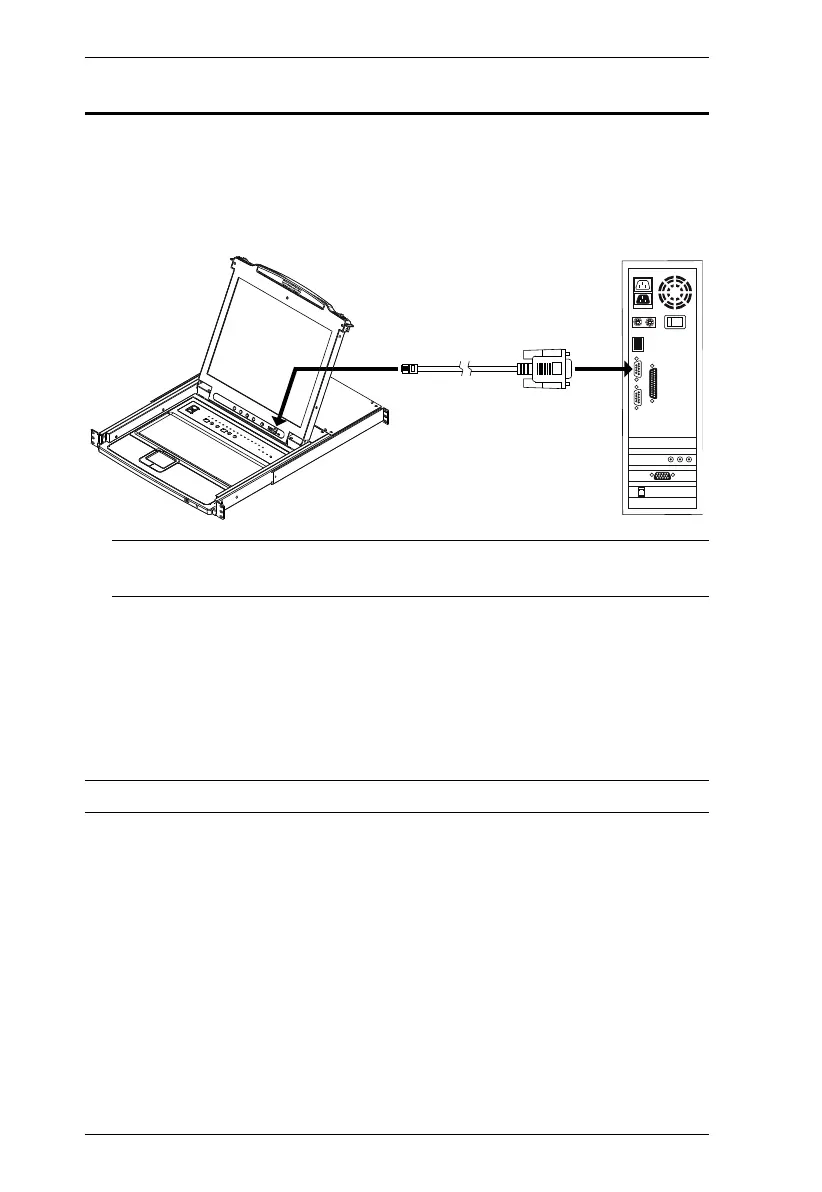
1. Use the Firmware Upgrade Cable (provided with this unit), to connect a
COM port on your computer to the Firmware Upgrade Port of your
switch.
Note: On a daisy chained installation, the chained stations will
automatically receive the upgrade via the daisy chain cables.
2. Shut down all the computers, but not the stations, on the KVM installation.
3. From your KVM switch console, login to the OSD as the administrator
(see page 31) and select the F4 ADM function.
4. Scroll down to FIRMWARE UPGRADE. Press [Enter], then press [Y] to
invoke Firmware Upgrade mode (see page 41.).
Note: During Firmware Upgrade mode, the port LEDs will flash on and off.



 To Next Page